AR portal overview
What the Accounts Receivable portal shows and how customers, invoices and collections are organised in it.
Last updated on
Transcript
Hello everyone, and welcome to our AR portal on Finnoto. Today, we're going to walk you through the integration process guide you through the order-to-cash process and demonstrate how orders are reconciled. This module is designed to help you track the entire timeline from order placement to cash received, making dispute management much easier. First, click on the integrations menu.
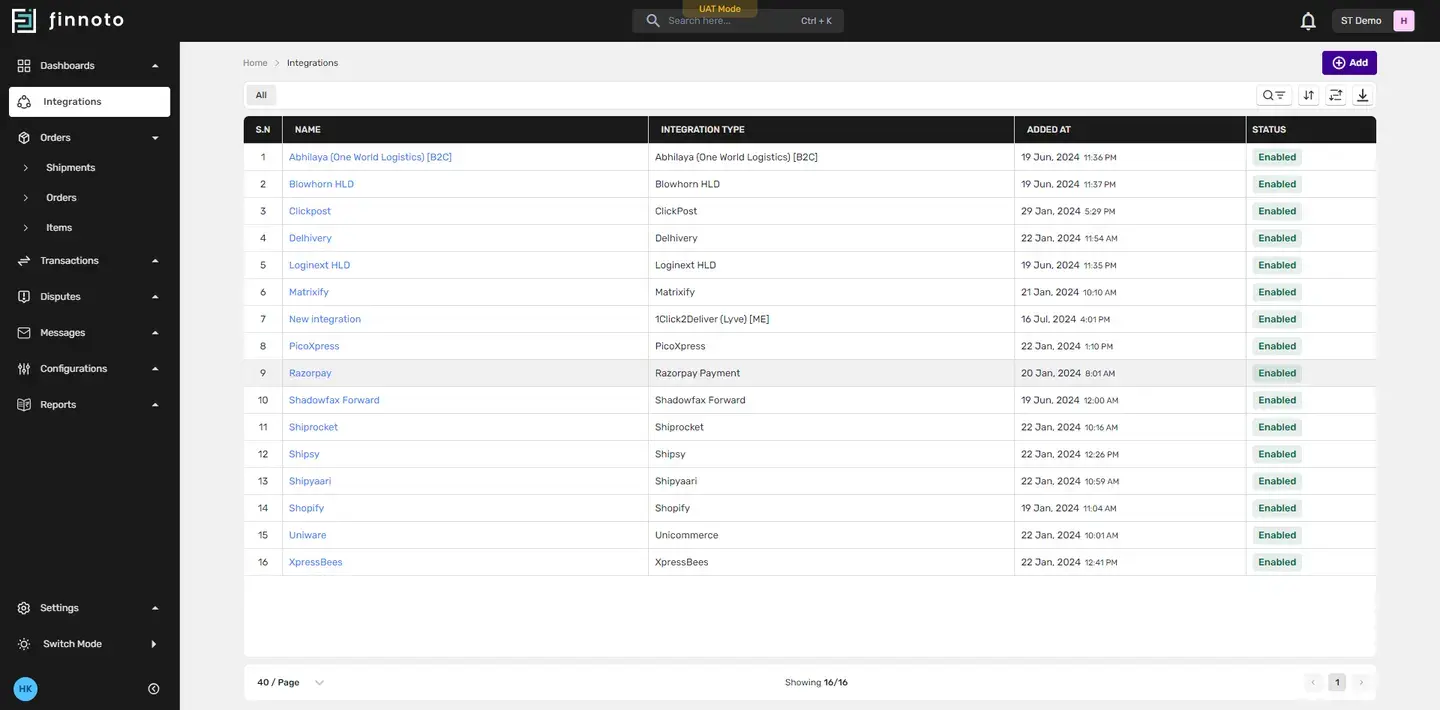
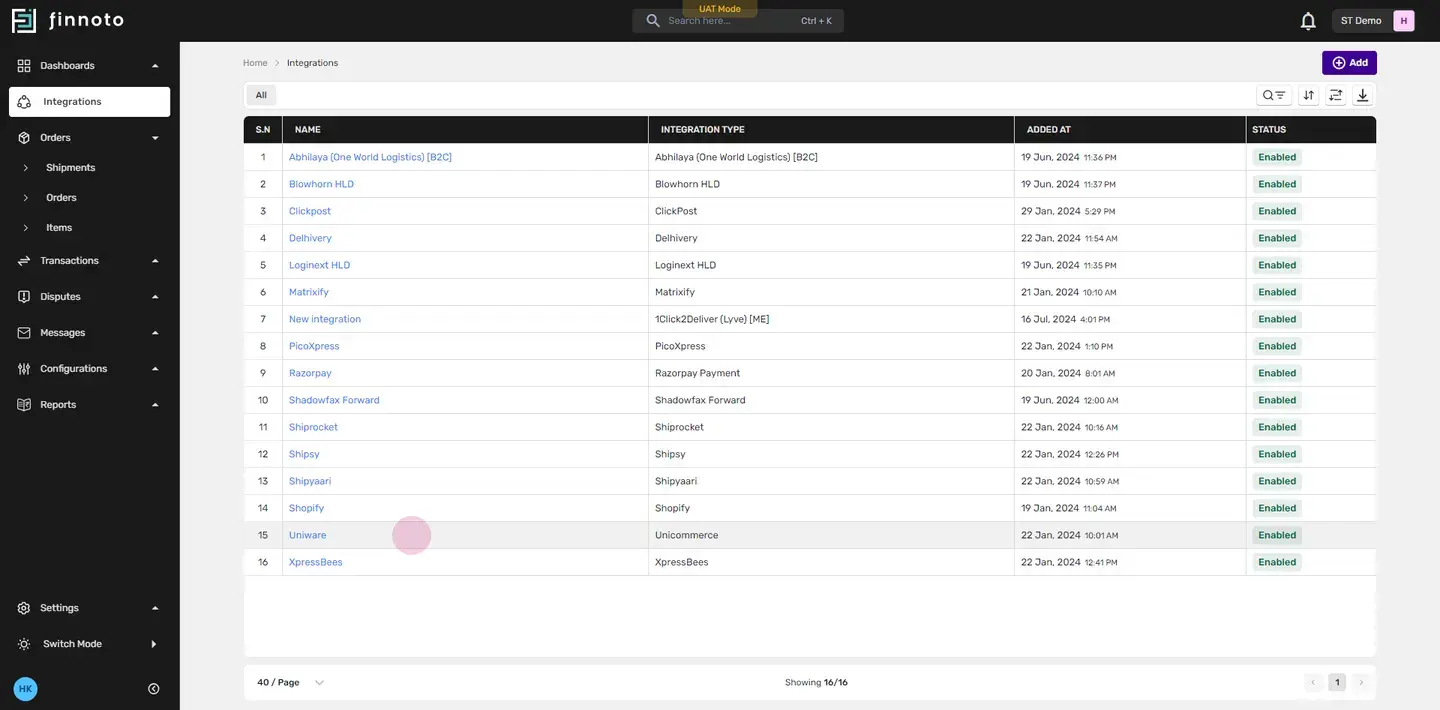
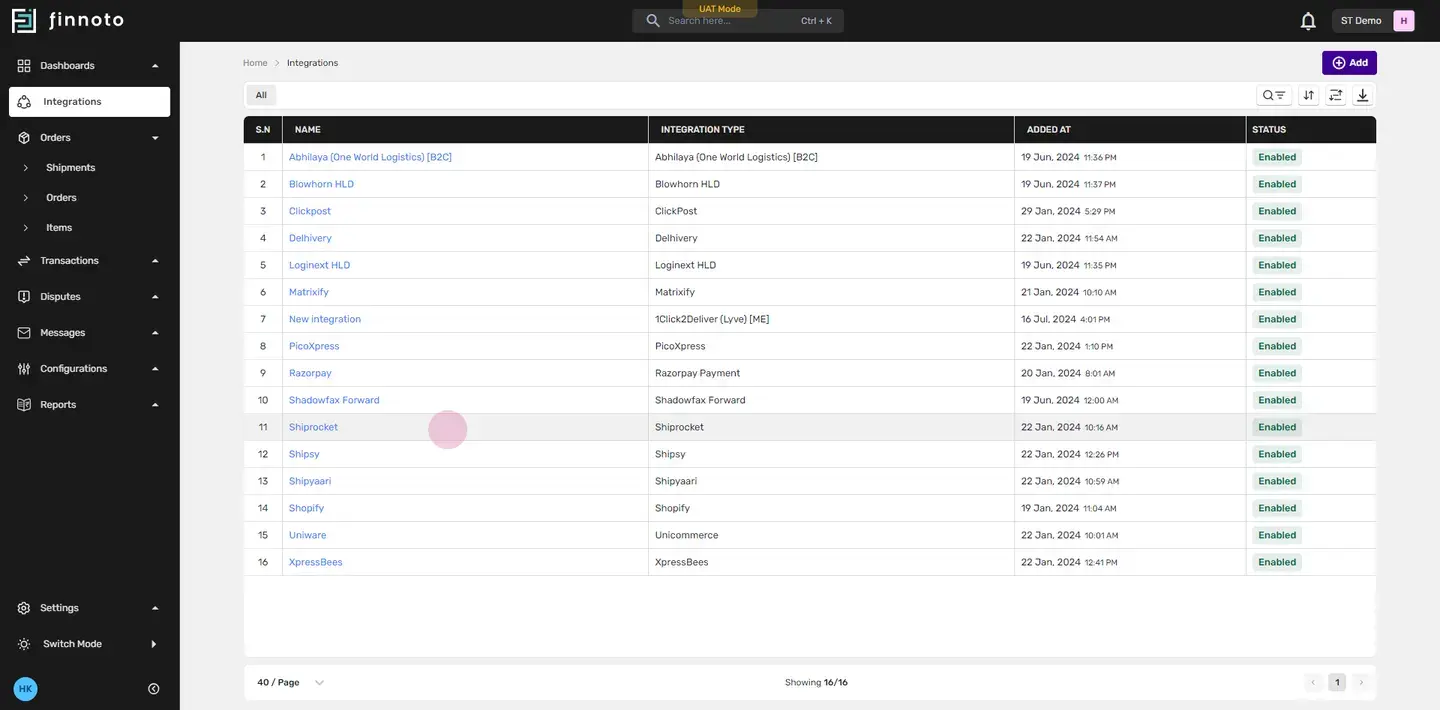
Our system offers a one-time, no-code integration that seamlessly integrates across four major levels. These include marketplaces like Shopify which provide a unified view of your sales channel, and payment gateways like Razorpay ensuring secure and accurate transaction processing. It also includes an order management system, such as Univare, which streamlines your order processing and inventory management Lastly, it includes delivery partners like Shiprocket coordinating efficient and reliable shipment logistics. These integrations ensure smooth operation from order placement to delivery.
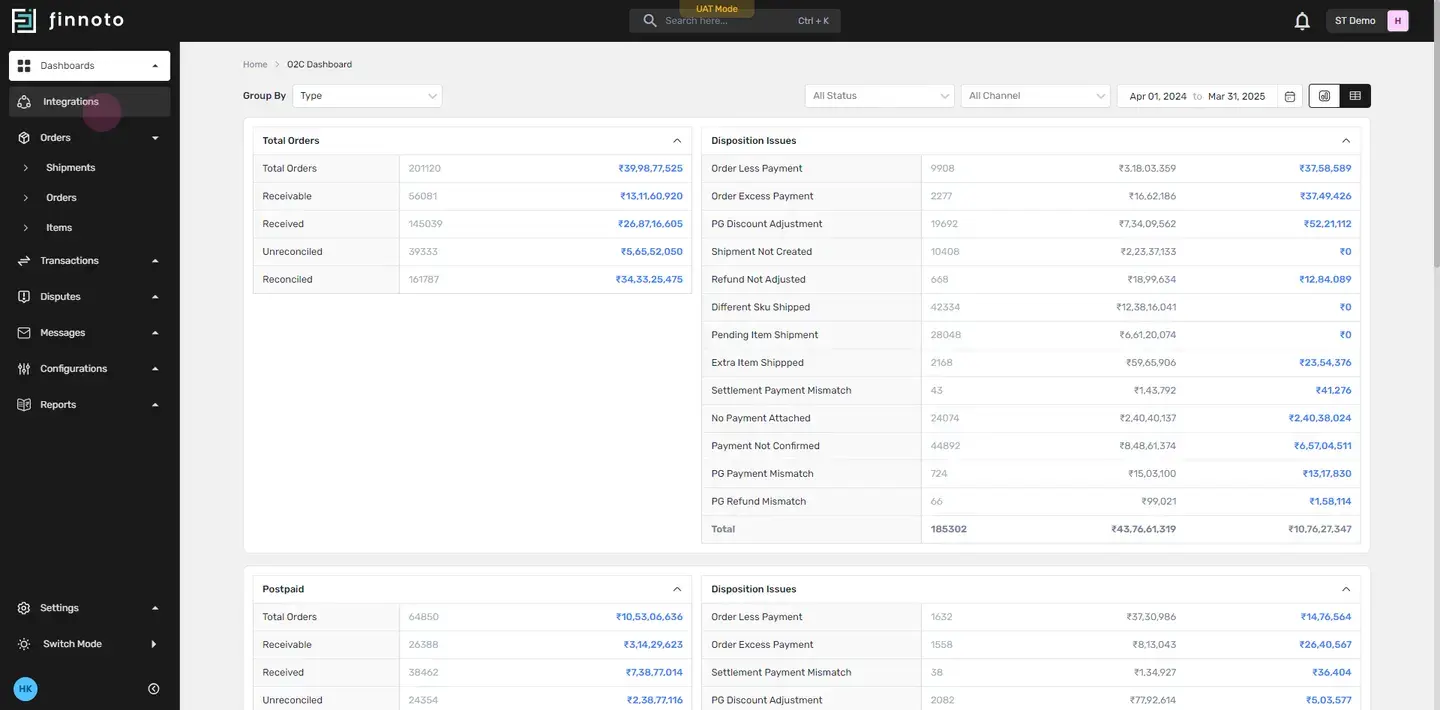
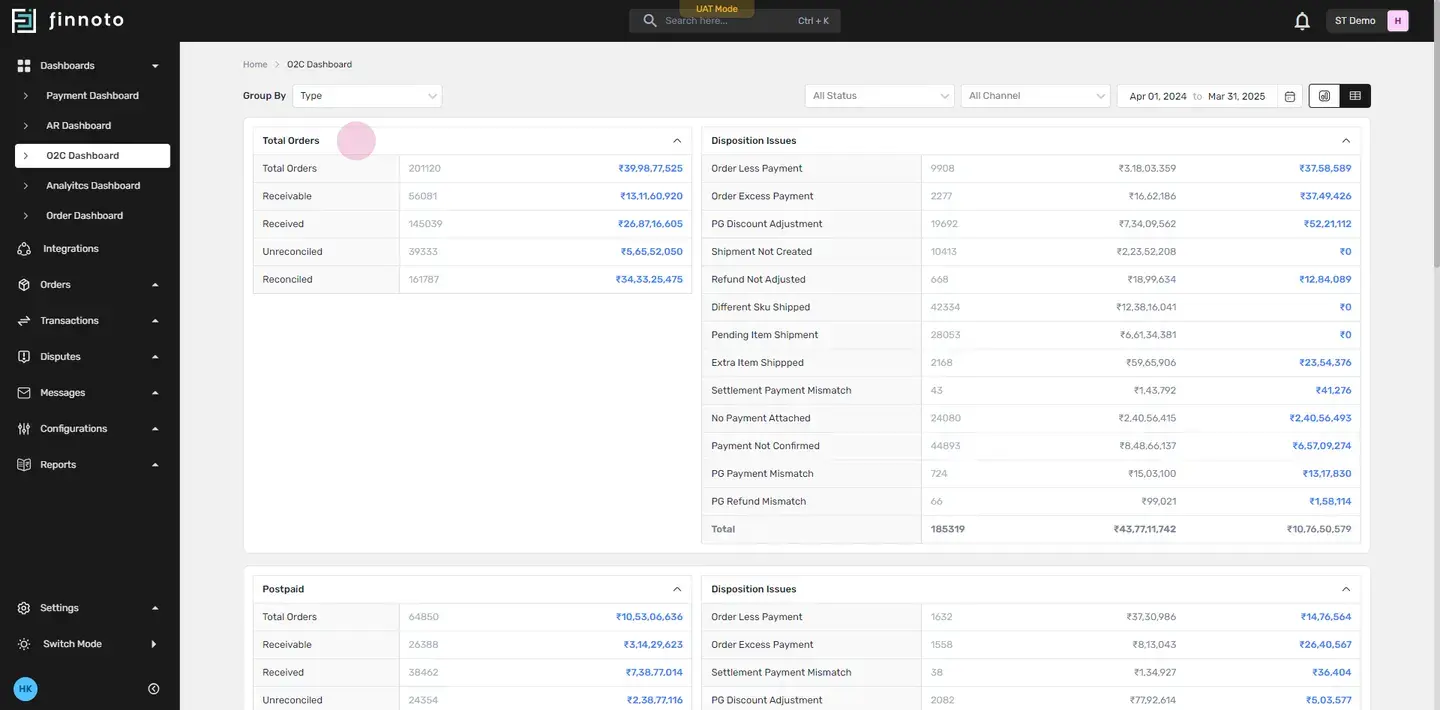
Now, let's delve into the Order-to-Cash dashboard Our Order-to-Cash dashboard provides a comprehensive view of all orders and transactions, ensuring you have complete control over your financial operations. Here, you'll find consolidated details of total orders postpaid orders prepaid orders and unknown orders Let's now discuss some common deposition issues that you might encounter. These include order-less payment where the payment received is less than the order amount, and excessive payment where the payment received exceeds the order amount. There may also be adjustments due to the discount offered by the payment gateway which will be reflected here Then, there may be instances where the shipment for an order has not been created yet.
A refund that has not been adjusted falls under the category of "Refund Not Adjusted". If an item shipped does not match the order,It will come under the Different SKU shipped.. Pending Item Shipment refers to items that are yet to be shipped. If an additional item that was not part of the order was shipped, it's classified as "Extra Item Shipped".
This will be reflected here. Settlement Payment Mismatch refers to discrepancies between the settlement amount and the order amount. Orders that do not have any payment linked to them are referred to as "No Payment Attached". Unconfirmed Payments refer to orders for which payment has not been confirmed yet.
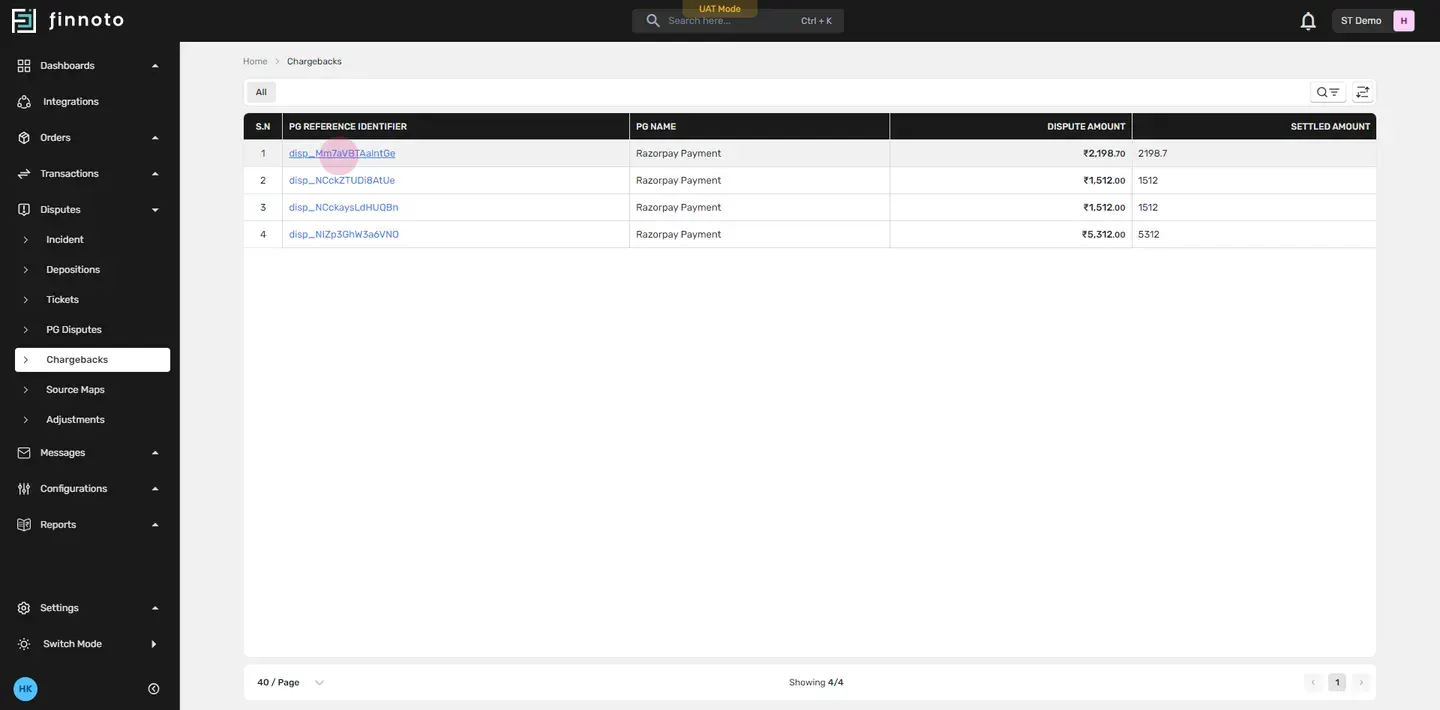
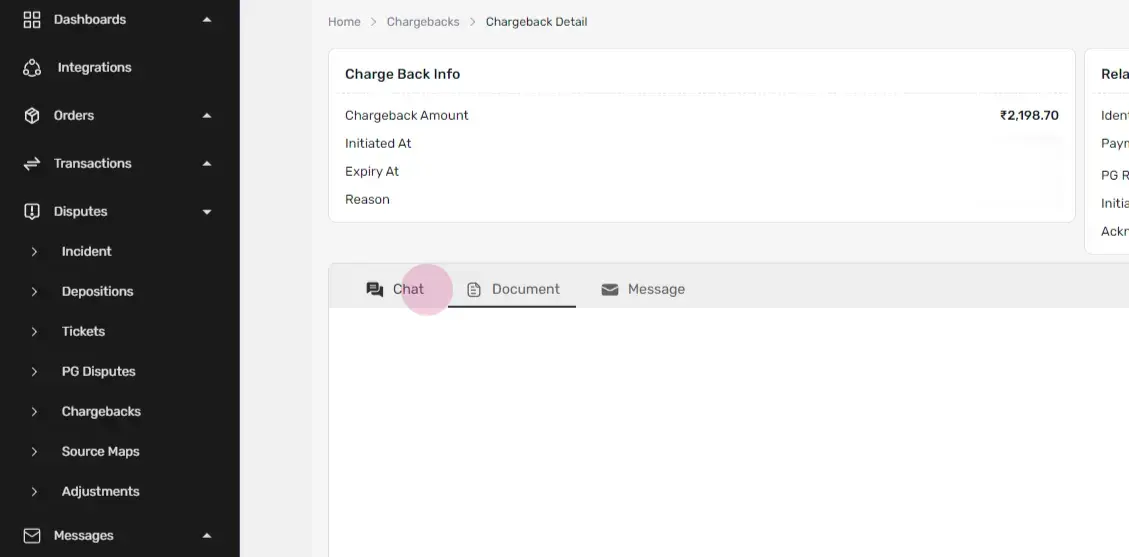
PG Payment Mismatch refers to discrepancies between the payment gateway records and the order amount records. Refund Mismatch refers to discrepancies between the payment gateway refund records and the order refund records. Now, With the help of our Automated Dispute Resolution Workflow businesses can now quickly and efficiently resolve disputes with vendors or customers. For instance, in the Dispute Section when handling chargebacks a listing showing the PG Identifier and PG Name among other details is displayed.
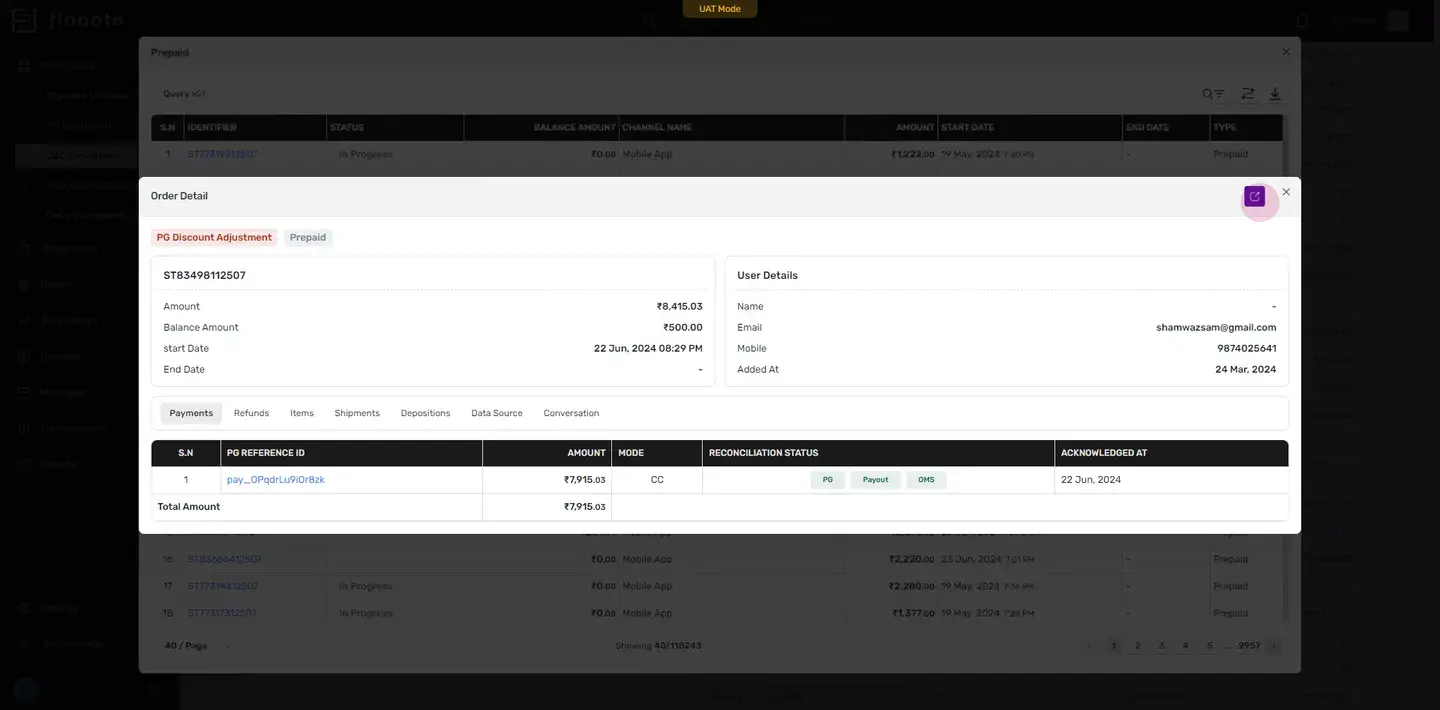
By clicking on the PG Reference Identifier you can access a detailed page providing information on the chargeback, the related payment info, and the status of the chargeback like its lost or win If anyone wishes to chat send a message or attach documents regarding a specific chargeback, it can be done directly from this page, streamlining communication and resolution Now, let's see how Order Reconciliation works In the Order to Cash Dashboard, if I select a prepaid reconciled order all the reconciled prepaid orders are displayed. By clicking on the identifier you can see the order details along with the disposition tag and the prepaid count tag If you wish to delve deeper, you can click on the navigation and it will take you to the order details page. Here, you'll see the order ID and other details such as when the order was created when it was processed when the payment was made and finally, when the order was delivered In the order summary you'll find details like customer information, shipping address, and the latest updates. The payment section displays the PG reference ID.
By clicking on it you will be able to see the payment details. The 'amount' column shows the total cost of that specific order. The 'mode' indicates the method of payment and, most importantly, whether the payment has been fully reconciled. If a payment has been fully reconciled, the amount will be displayed here.
The same amount will also be reflected with the Payment Gateway. In a similar manner, the amount in the bank payout will coincide with the amount, and the OMS from which the order was generated, will display the same amount as indicated here. When the amounts of the payment gateway the bank payout and the OMS record match, the status will be updated to 'reconciled'. This is how order reconciliation works This is how the AR module on Finnoto allows you to monitor the entire timeline of an order, from placement to cash received.
It facilitates easy tracking and management of disputes, ensuring a transparent and efficient financial operation. Thank you.
AR Portal: An Essential Overview
Explore the AR portal on Finnoto, a platform designed to streamline the order-to-cash process and simplify dispute management. This guide will walk through the integration process, demonstrate the order-to-cash process, and explain how orders are reconciled.
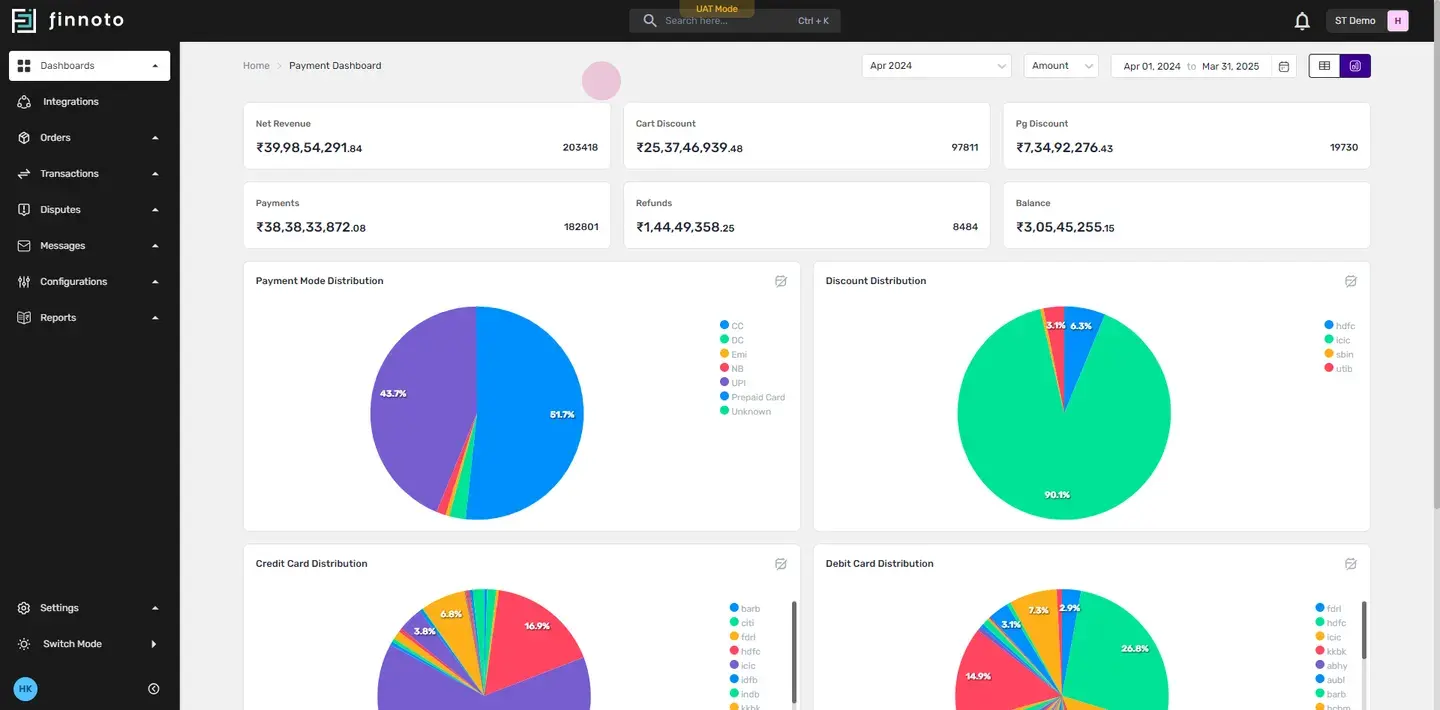
Integration Process
Navigate to the Integrations Menu
Finnoto offers a one-time, no-code integration across four major levels: marketplaces, payment gateways, order management systems, and delivery partners.
Integrate with marketplaces like Shopify for a unified view of your sales channel.
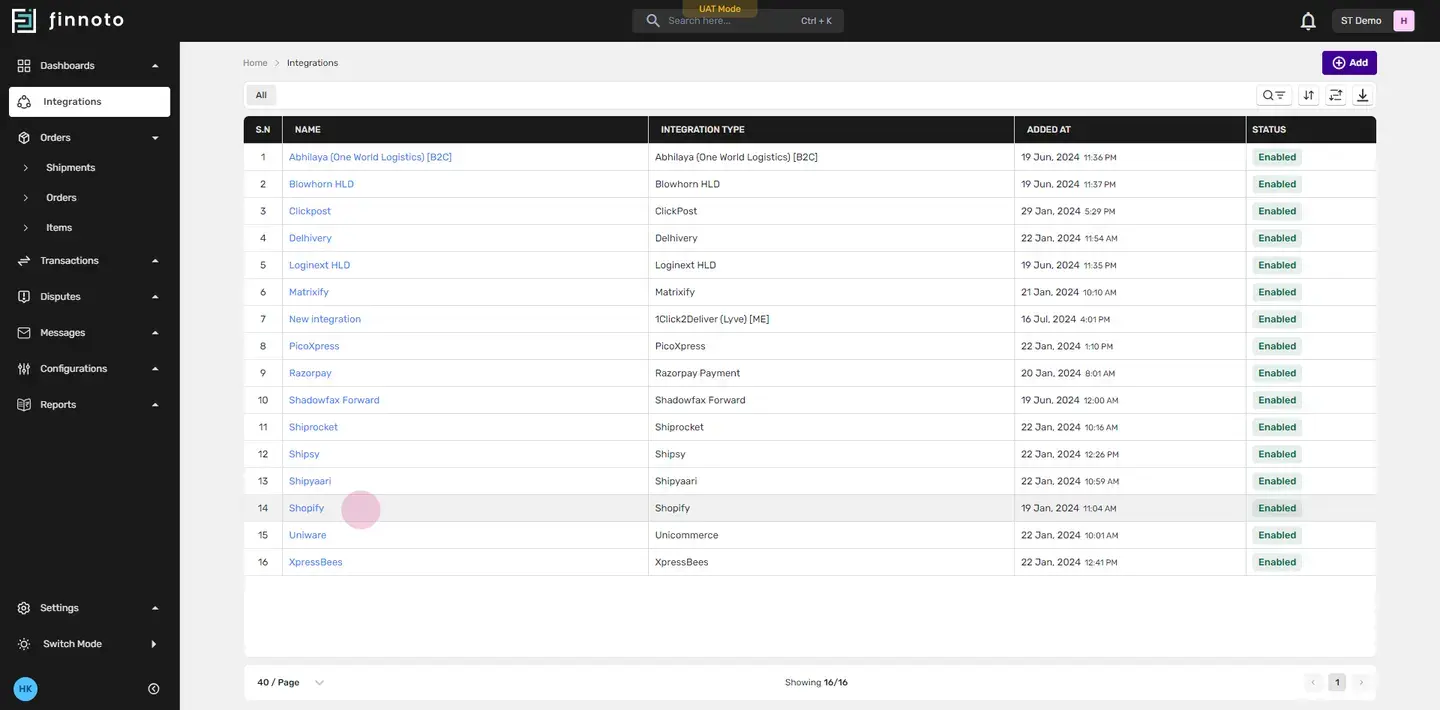
Connect with payment gateways like Razorpay for secure and accurate transaction processing.
Incorporate an order management system, such as Uniware, to streamline order processing and inventory management.
Collaborate with delivery partners like Shiprocket for efficient and reliable shipment logistics.
Order-to-Cash Dashboard Overview
Access the Order-to-Cash dashboard
This dashboard provides a comprehensive view of all orders and transactions, giving complete control over financial operations.
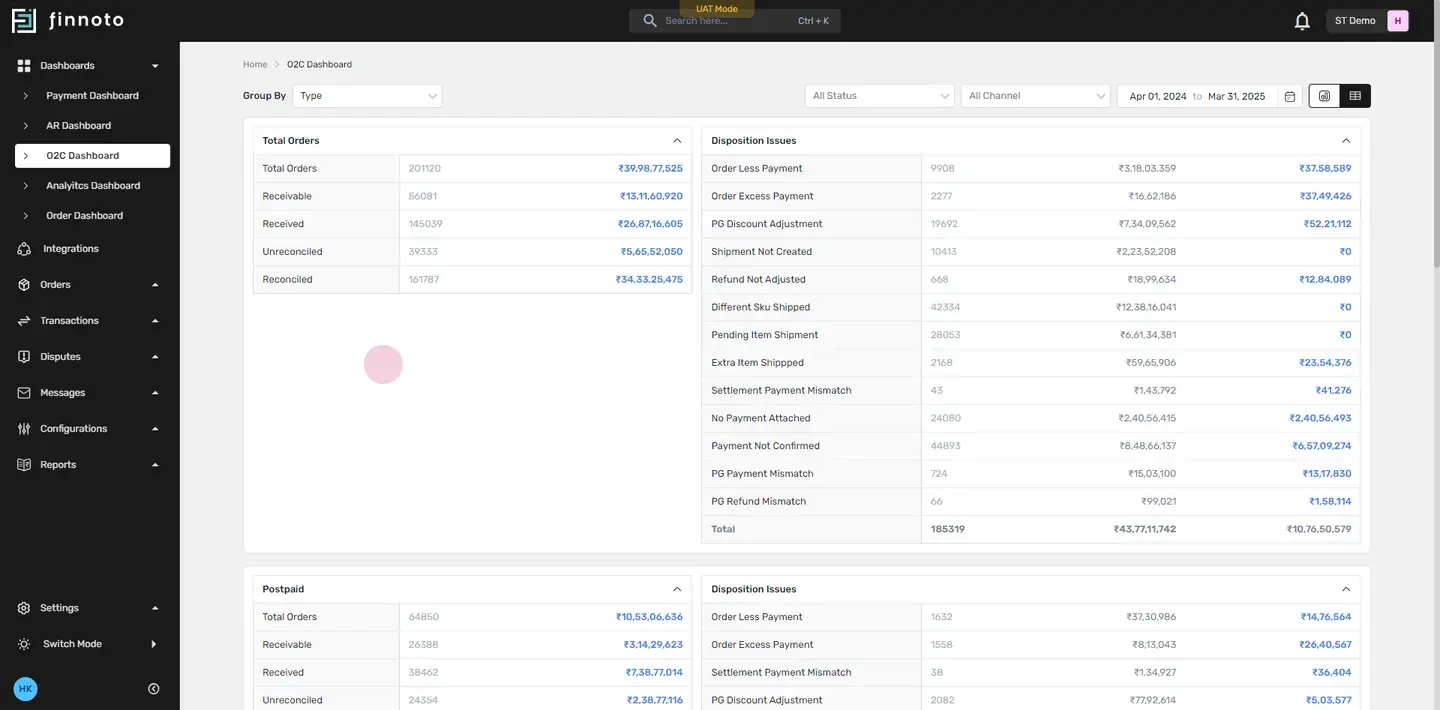
Review consolidated details of total orders, postpaid orders, prepaid orders, and unknown orders.
Common Deposition Issues
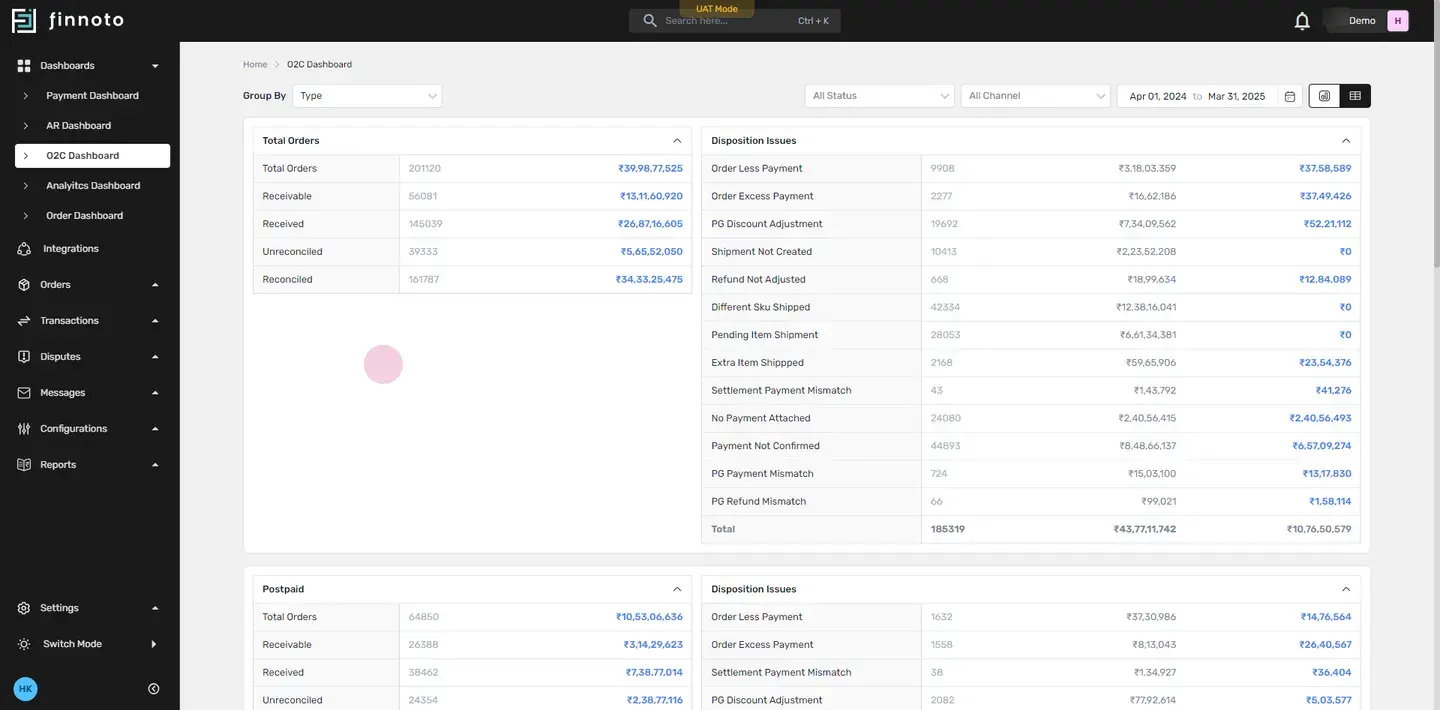
🔍 Here are some common deposition issues: Order Less Payment: Payment received is less than the order amount.Order Excess Payment: Payment received exceeds the order amount.PG Discount Adjustment: Adjustments due to discounts offered by the payment gateway.Shipment Not Created: Shipment for an order hasn't been created yet.Refund Not Adjusted: Refund hasn't been processed against the order.Different SKU Shipped: Shipped item doesn't match the ordered SKU.Pending Item Shipment: Items are yet to be shipped.Extra Item Shipped: An additional item was shipped that wasn't part of the order.Settlement Payment Mismatch: Discrepancies between the settlement amount and the order amount.No Payment Attached: Orders that don't have any payment linked to them.Payment Not Confirmed: Payment for the order hasn't been confirmed yet.PG Payment Mismatch: Discrepancies between the payment gateway records and order records.PG Refund Mismatch: Discrepancies between the payment gateway refund records and order records.
Automated Dispute Resolution Workflow
Use the Automated Dispute Resolution Workflow to quickly and efficiently resolve disputes.
In the Dispute Section, For example: Chargebacks
🔍 Chargeback : A chargeback is a transaction reversal initiated by the bank, typically due to disputes over unauthorized or fraudulent charges, defective products, or unmet service expectations. It protects consumers by allowing them to reclaim their money.
- Handle chargebacks by accessing a detailed page providing information on the chargeback, the related payment info, and the status of the chargeback.
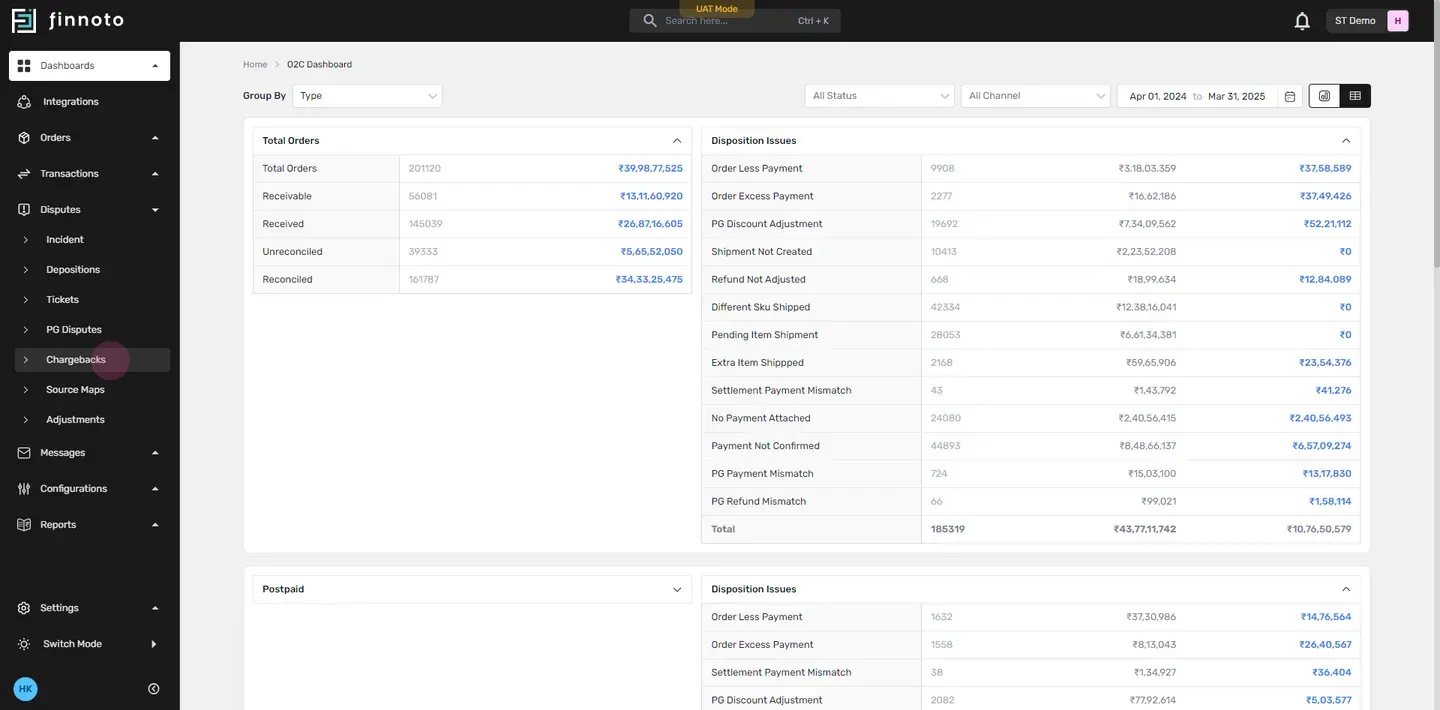
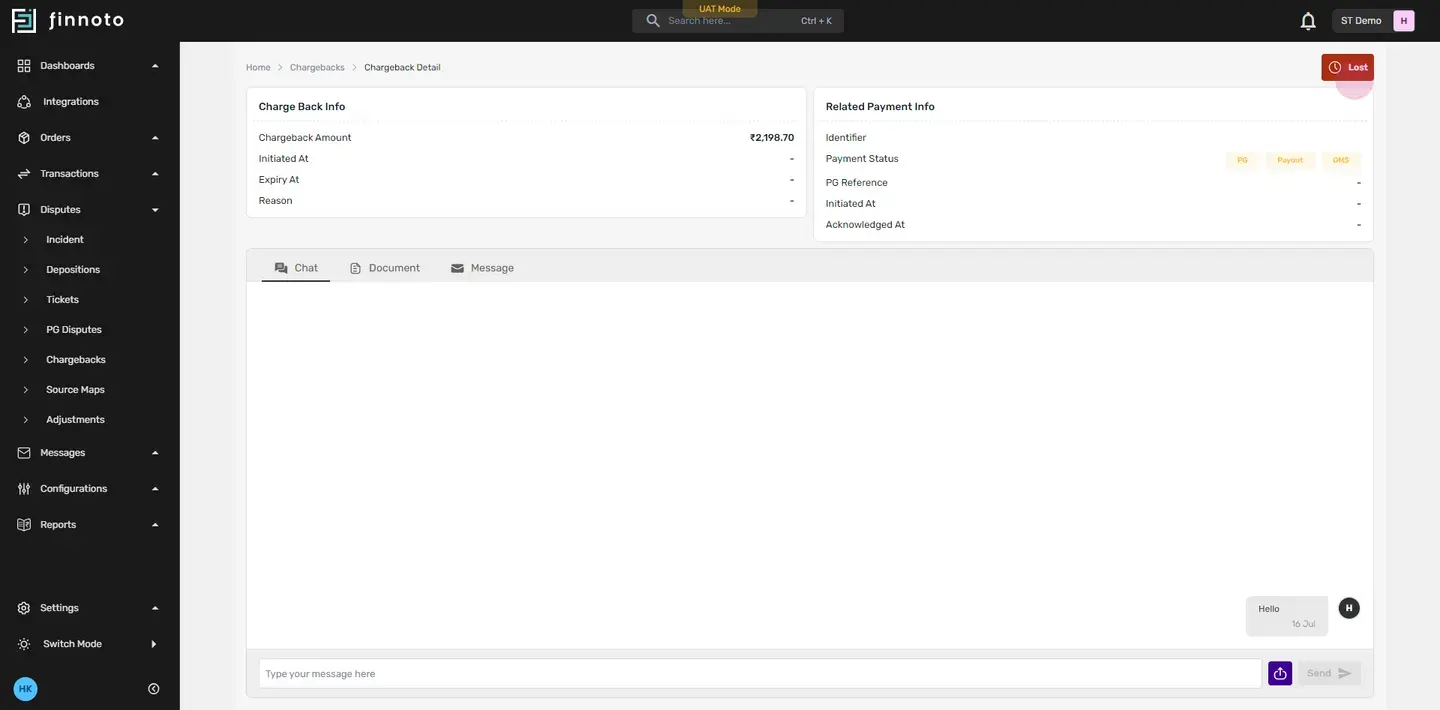
- Chat, send a message, or attach documents regarding a specific chargeback directly from this page, streamlining communication and resolution.
Order Reconciliation
In the Order to Cash Dashboard, For instance: Select a prepaid reconciled order to view the reconciled order details.
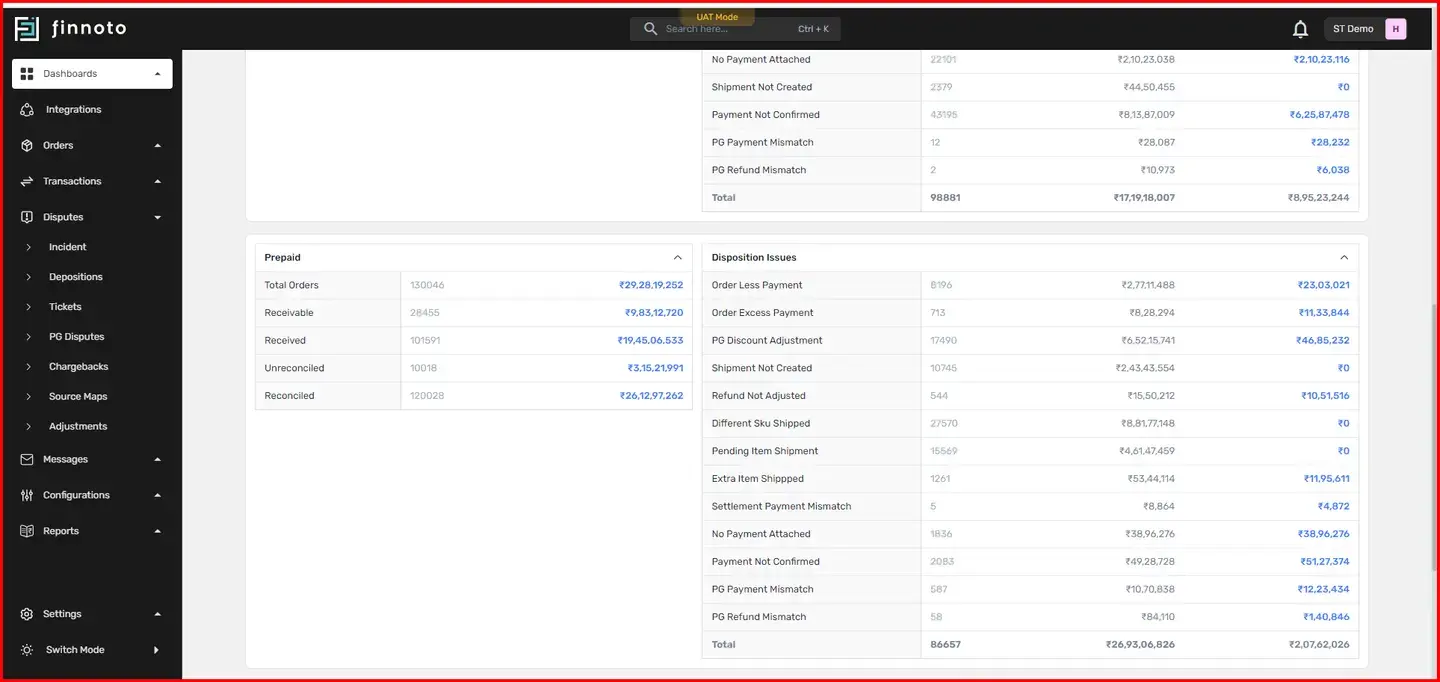
From the Prepaid Reconciled Order listing page now select any order identifier.
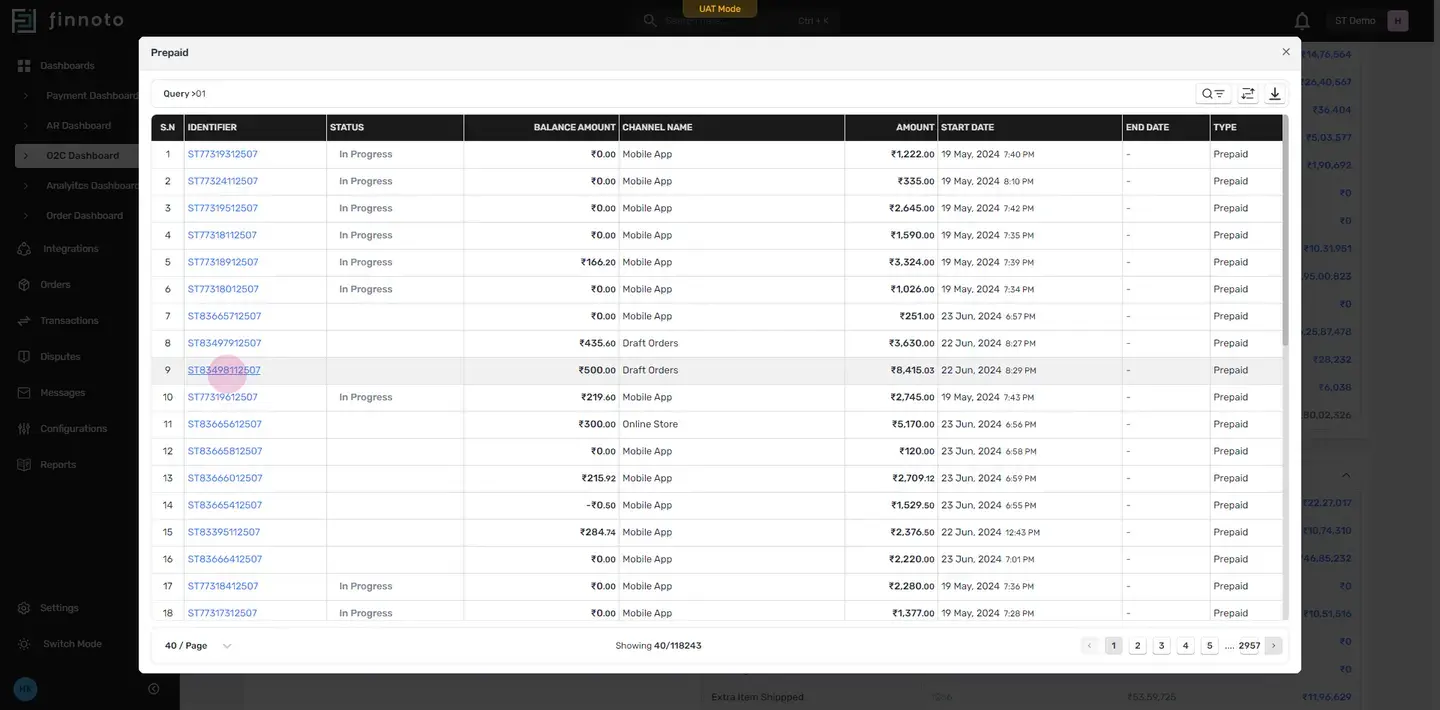
Now you will be directed to the modal window where the order details are provided in brief. To navigate to the main detail page of the order, click on the navigation icon.
Here, view the order ID and other details such as when the order was created, processed, paid for, and delivered.
- In the order summary, find details like customer information, shipping address, and the latest updates.
- The payment section displays the PG reference ID. Click on it to see the payment details.
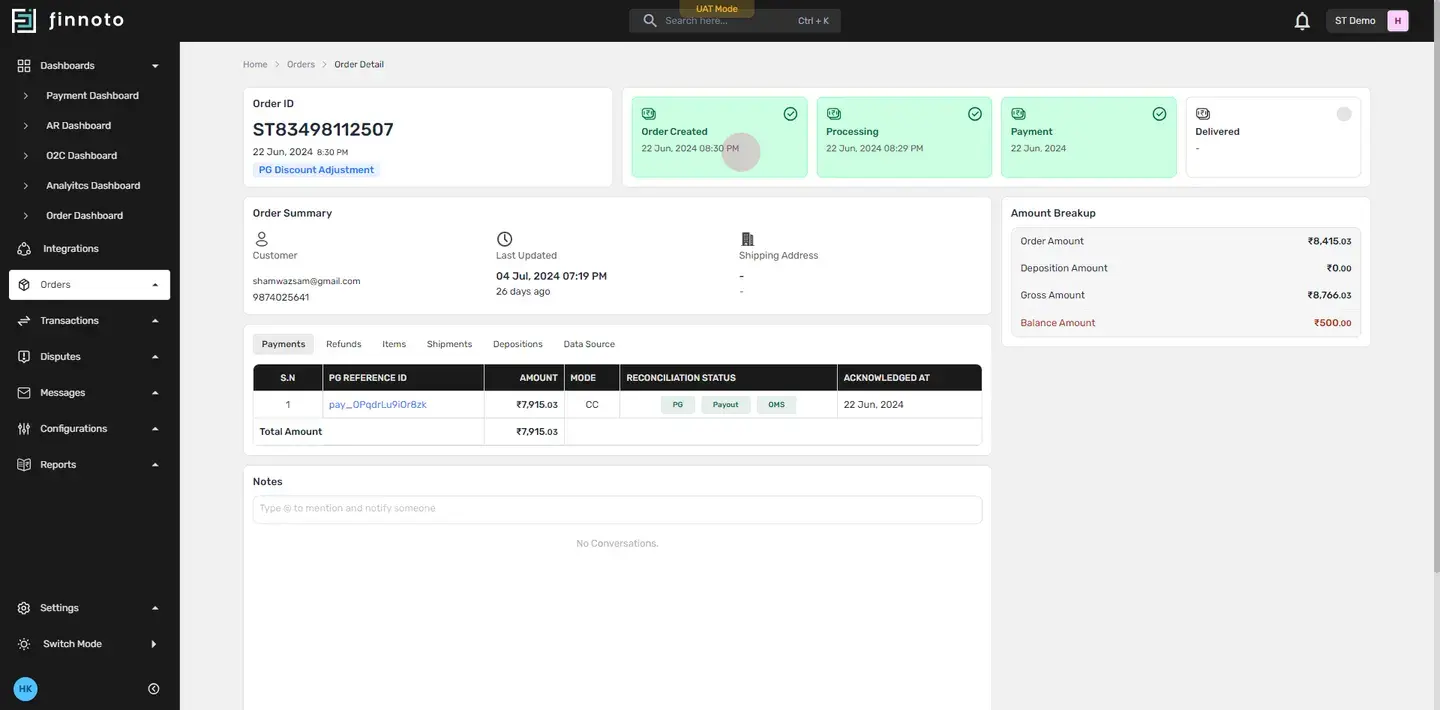
In Payments Tab: Check the 'amount' column for the total cost of the specific order and the 'mode' for the method of payment and in the Reconcilled Status column view whether the payment has been fully reconciled.
Payment is fully reconciled when the same amount is reflected in the Payment Gateway, the bank payout, and the OMS record. When these amounts match and color of each tag [PG,Payout and OMS] is green, the status will be updated to 'reconciled.
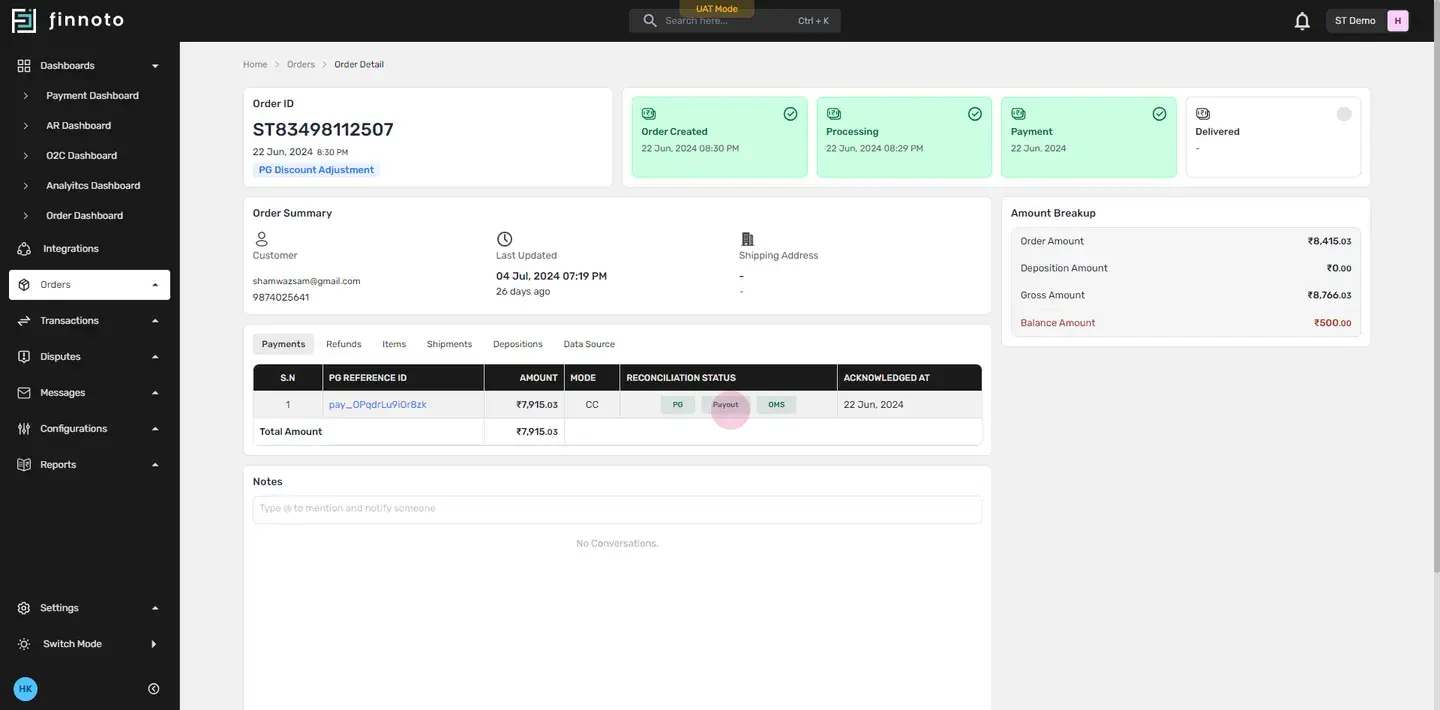
Similarly, to view details about Refunds, Items, Shipments, Depositions, and Data Source, click on the respective tab to review its details.
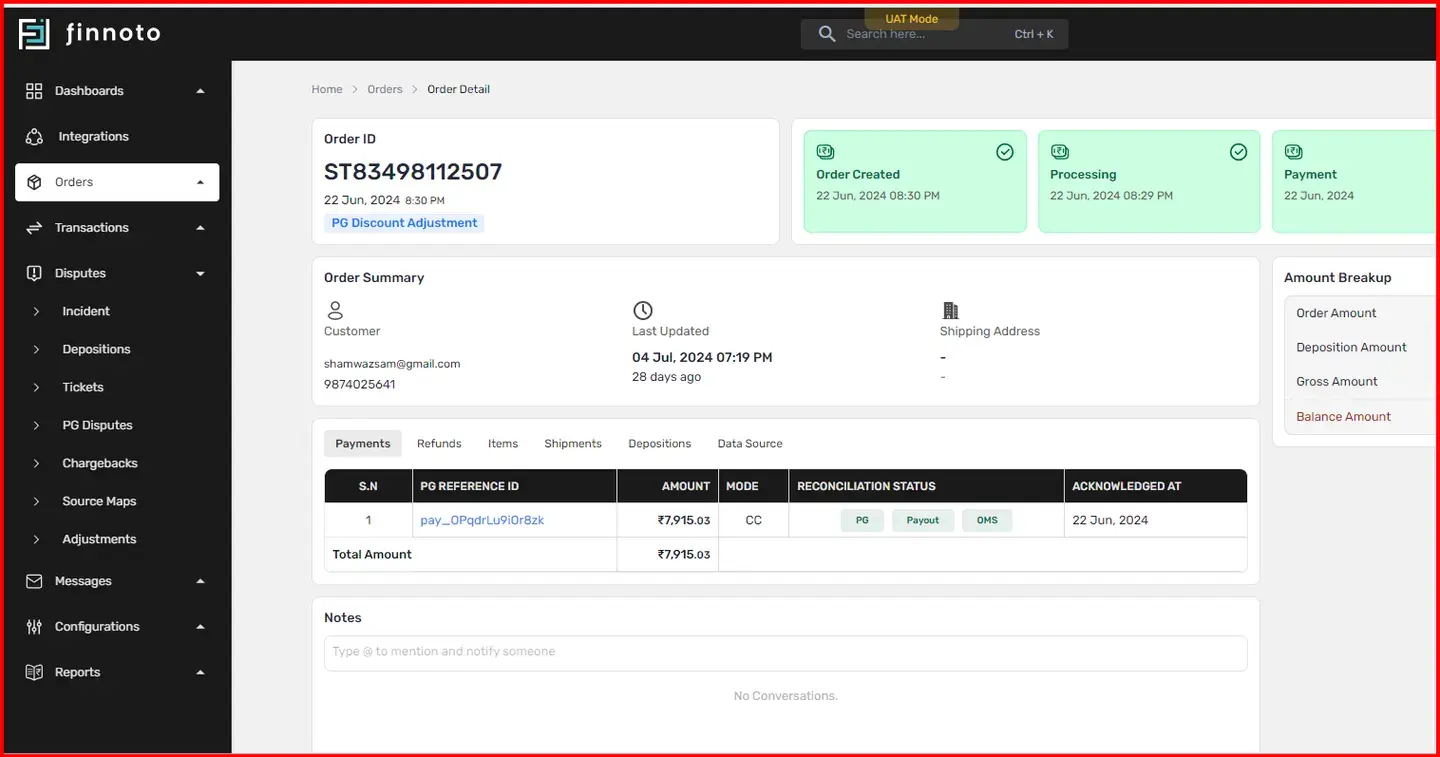
The AR module on Finnoto allows monitoring the entire timeline of an order, from placement to cash received. It facilitates easy tracking and management of disputes, ensuring a transparent and efficient financial operation.