Create a payout reconciliation
Match the payouts your bank processed against the payments you generated in Finnoto.
Last updated on
Transcript
Recon Creation Here you can store data shared from your bank to match with the payouts, ensuring accurate reconciliation. Follow the steps given below to create a recon on Finnoto:
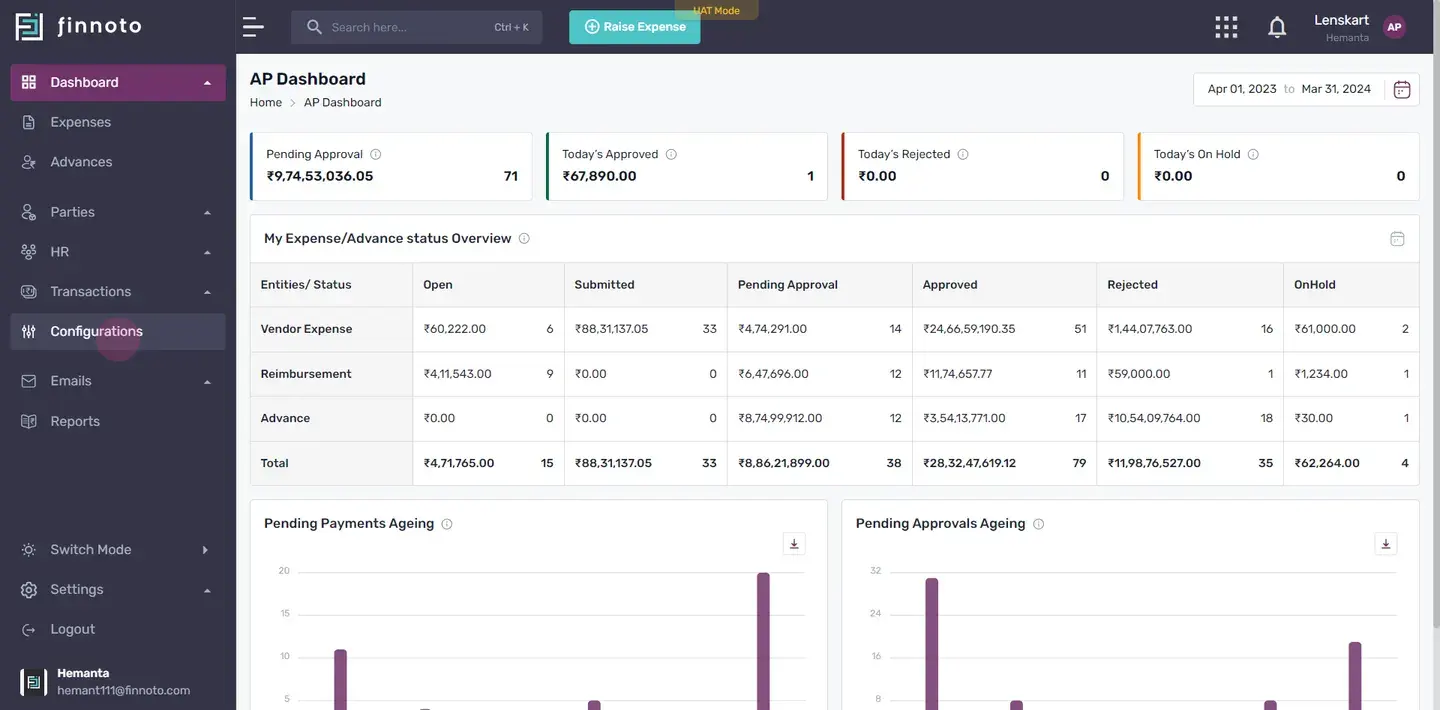
Navigate to Configuration.
Go to the main navigation menu and click on 'Configuration.' Select 'Payout/Recon.'
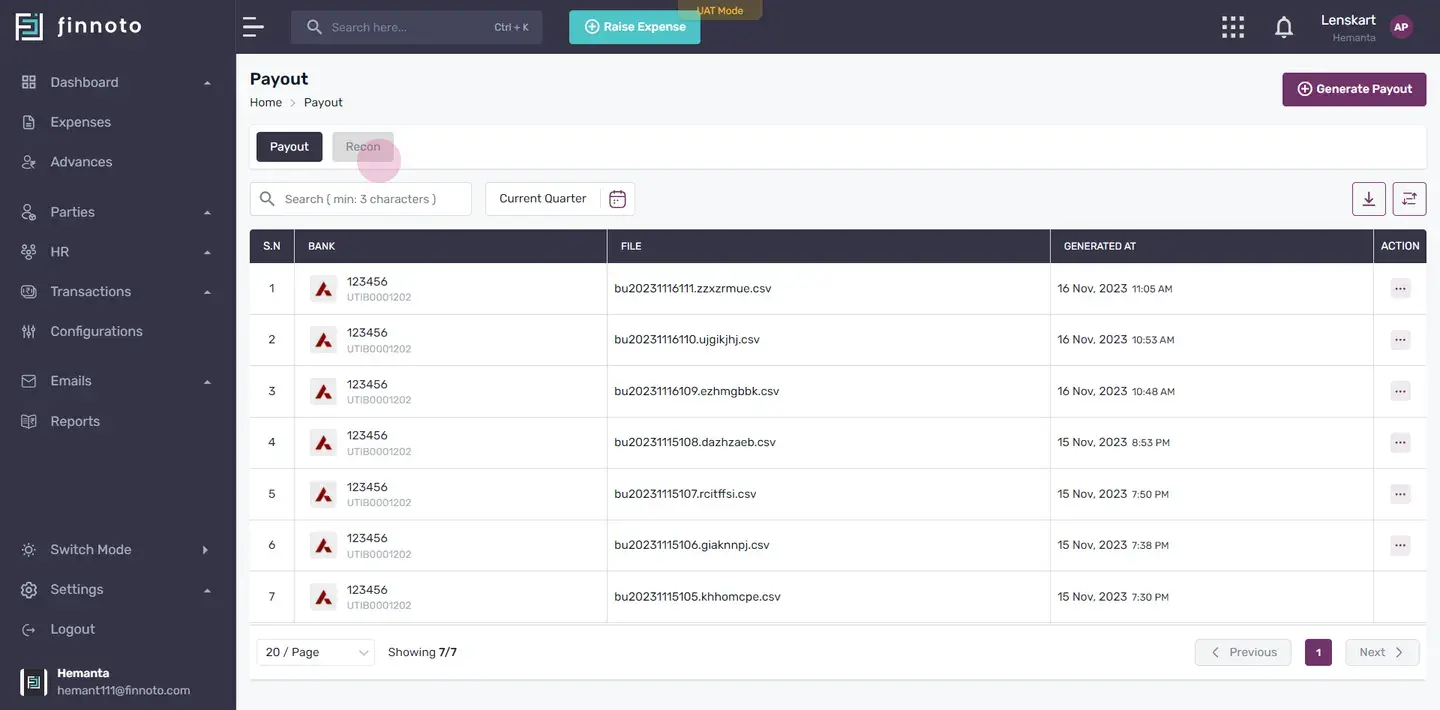
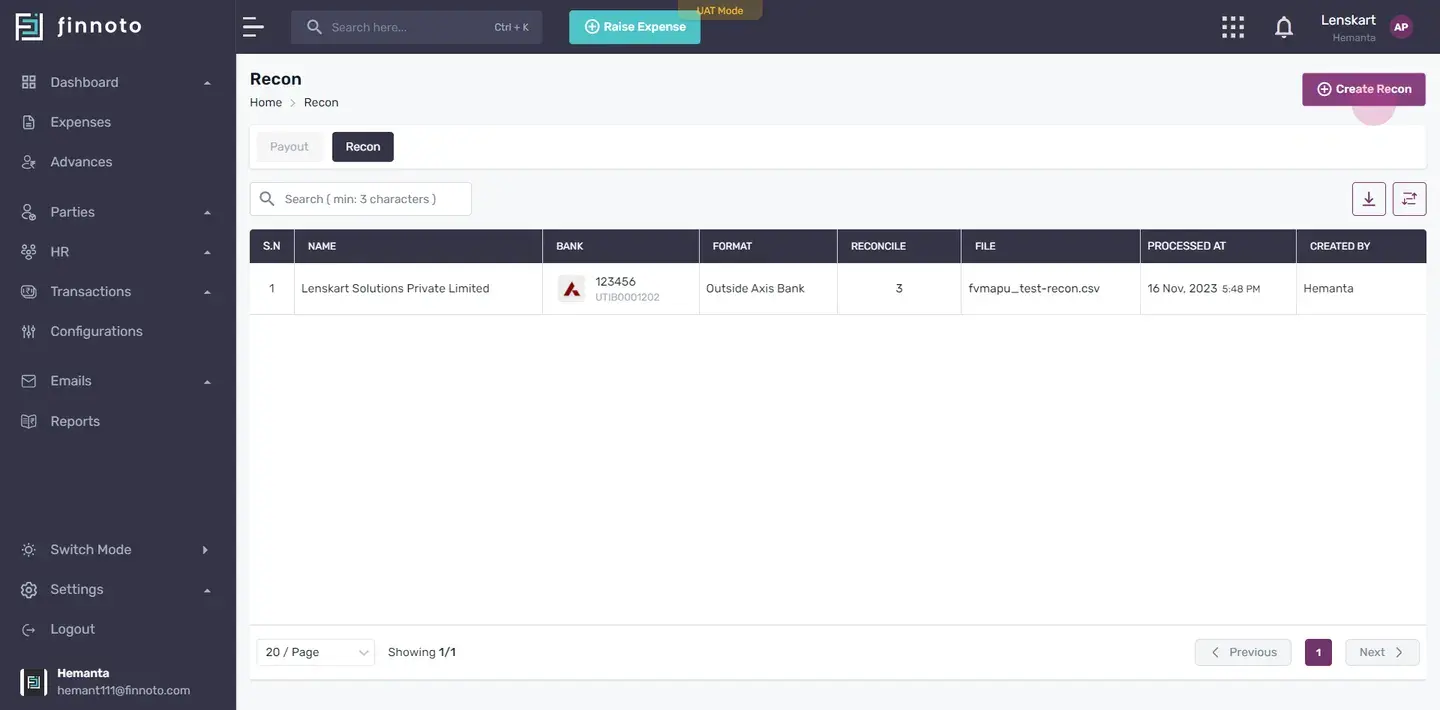
Create Recon.
Under the 'Recon' tab, on the top right corner locate and click on the 'Create Recon' button..
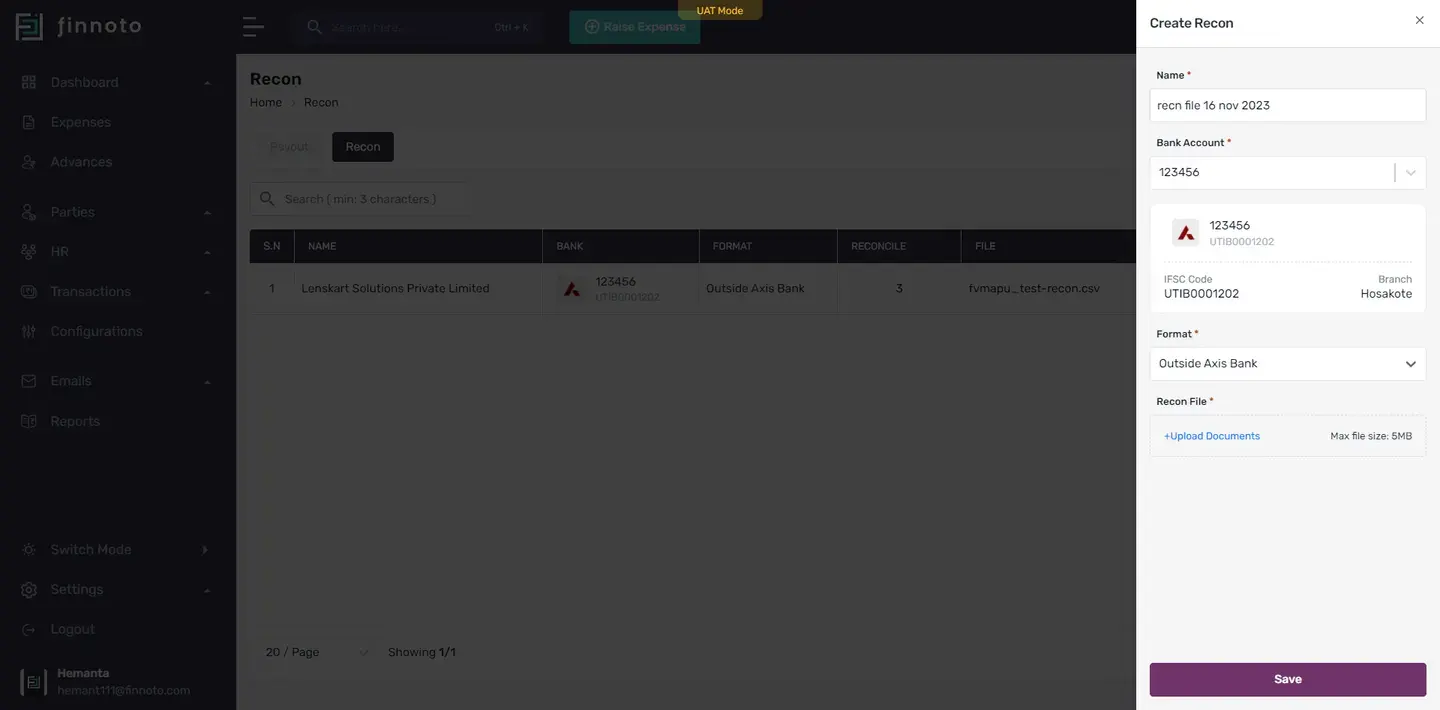
Fill in the Form.
Enter a relevant name in the designated field. Choose the bank account related to this reconciliation. Wisely select the format, whether 'Within Axis Bank' or 'Outside Axis Bank.' Upload the reconciliation file provided by the bank. Click 'Save.
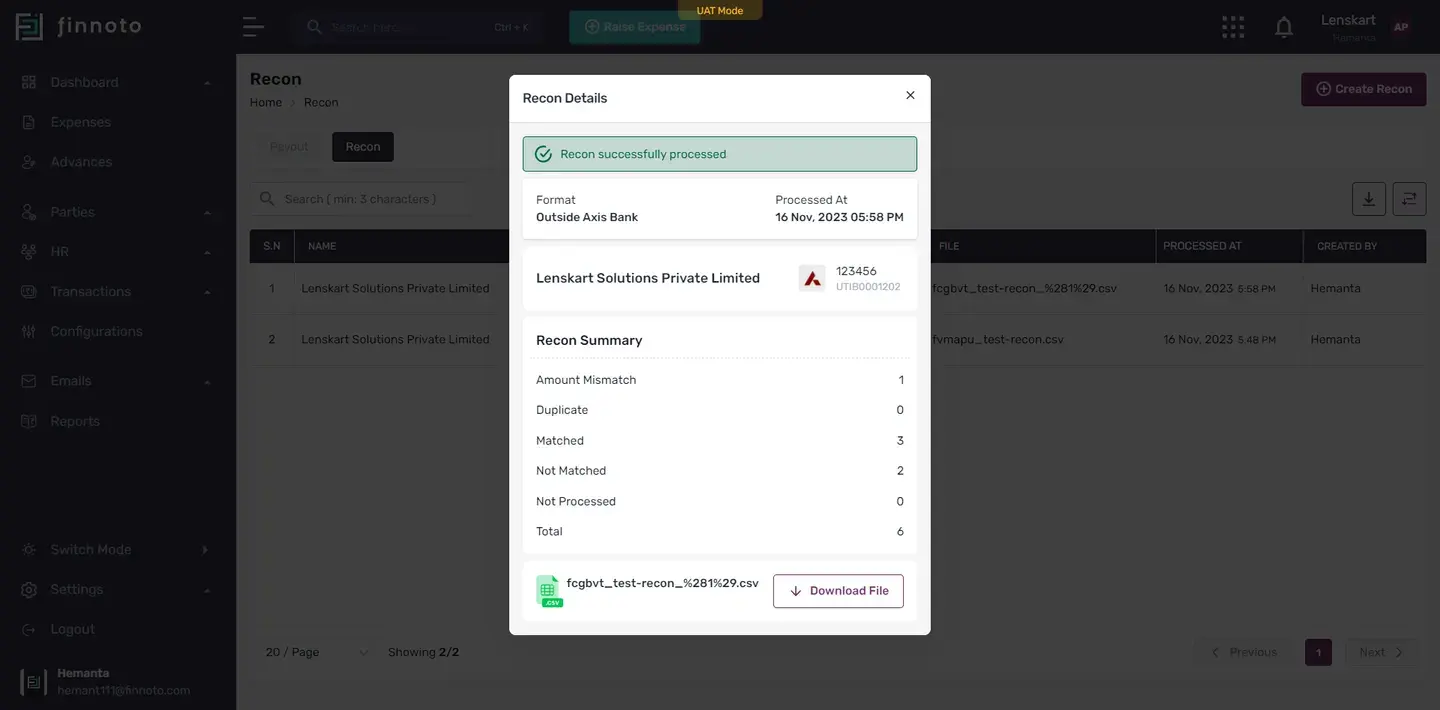
Process and View Recon Details.
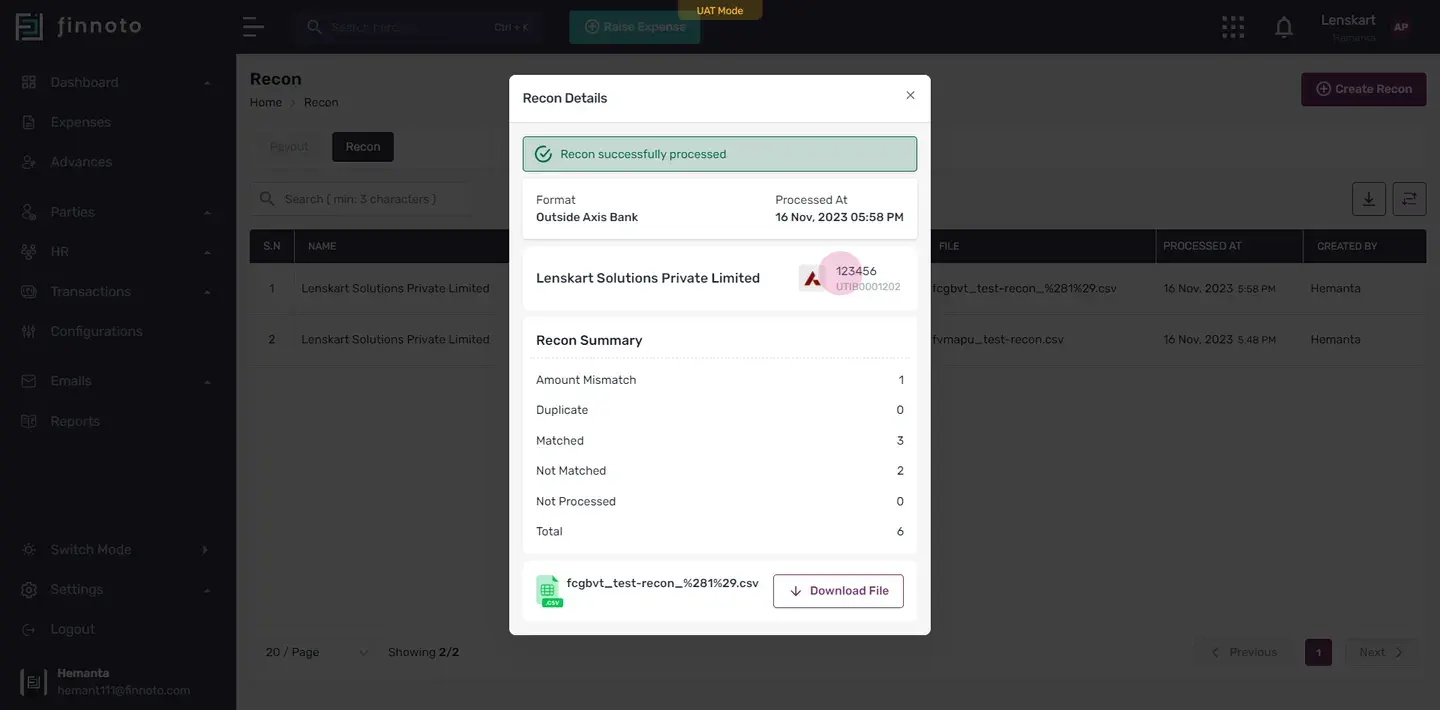
The system will start processing, and you'll see the recon details. Successfully processed details include the format, processed at, name of business, account number, IFSC code, and the recon summary.
Explore Recon Summary.
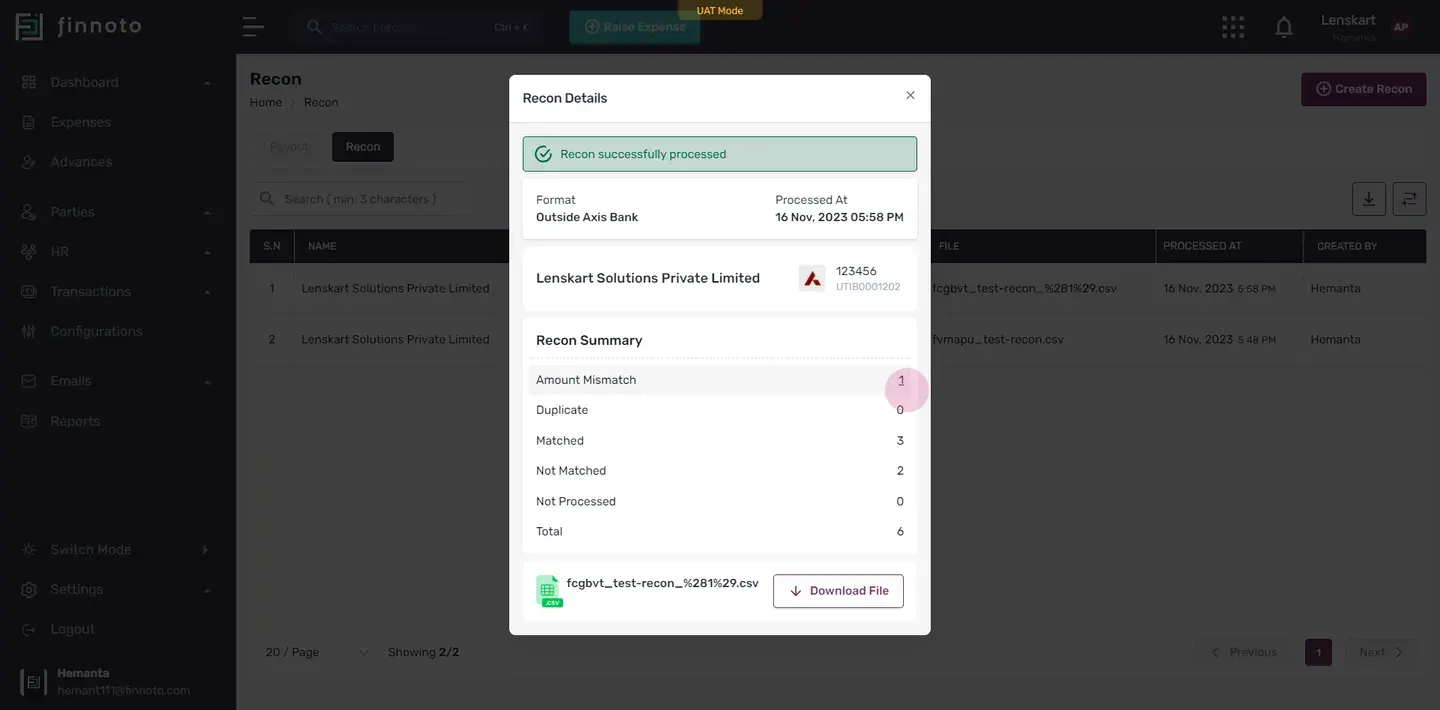
In the recon summary, you'll find details such as amount mismatch, duplicate match, not match, not processed, and the total.
Investigate Summary Details.
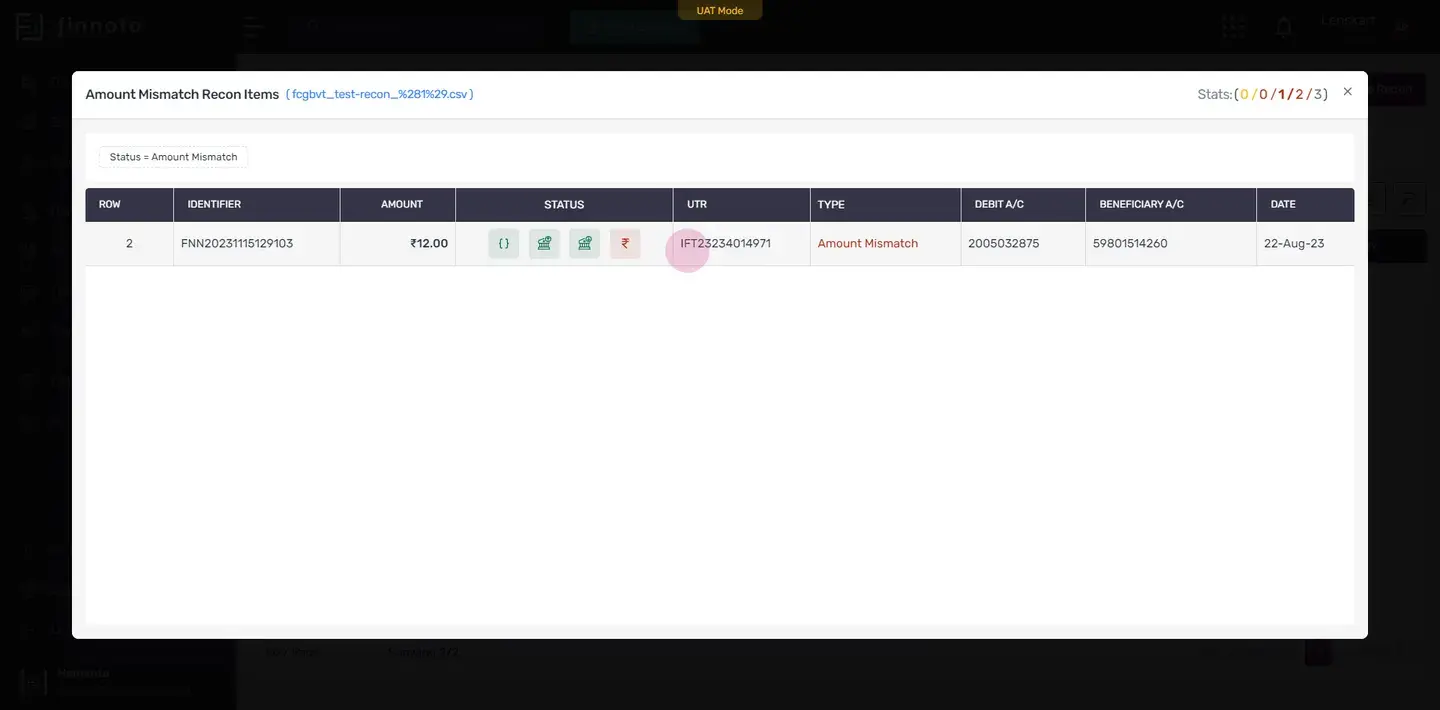
Click on any of the summary details to view specific reports. In each report, you'll see row numbers, identifiers, amounts, status, UTR, Type, Credit A/C, Beneficiary A/C and Date .
Check Matched Recon.
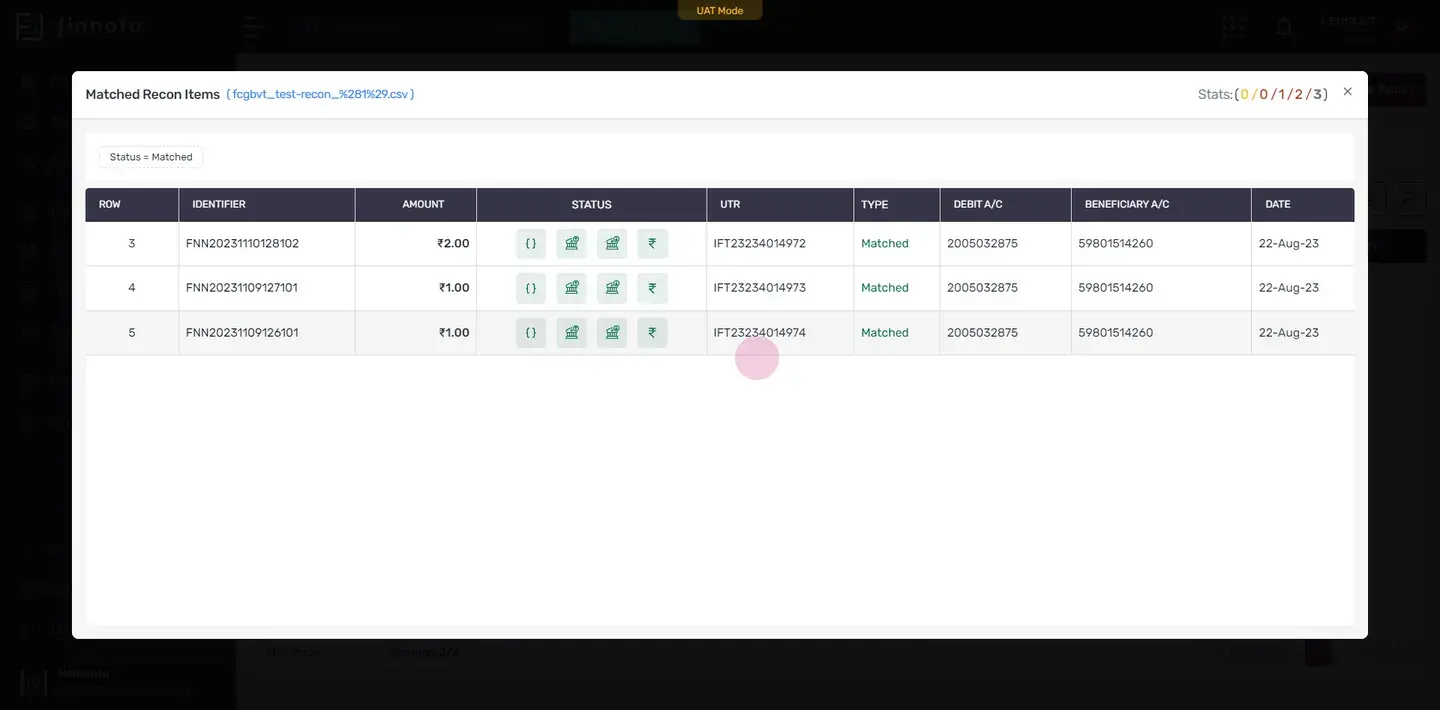
Click on a matched recon to see its details, including identifiers, status(If you hover over the icons you will able to see the detail ), amounts, and types. Details like UTR numbers, debit account numbers, beneficiary account numbers, and dates are available. On the top right corner you can also check stats by hovering over it.
Download File.
If needed, you can download the reconciliation file by clicking 'Download File.'
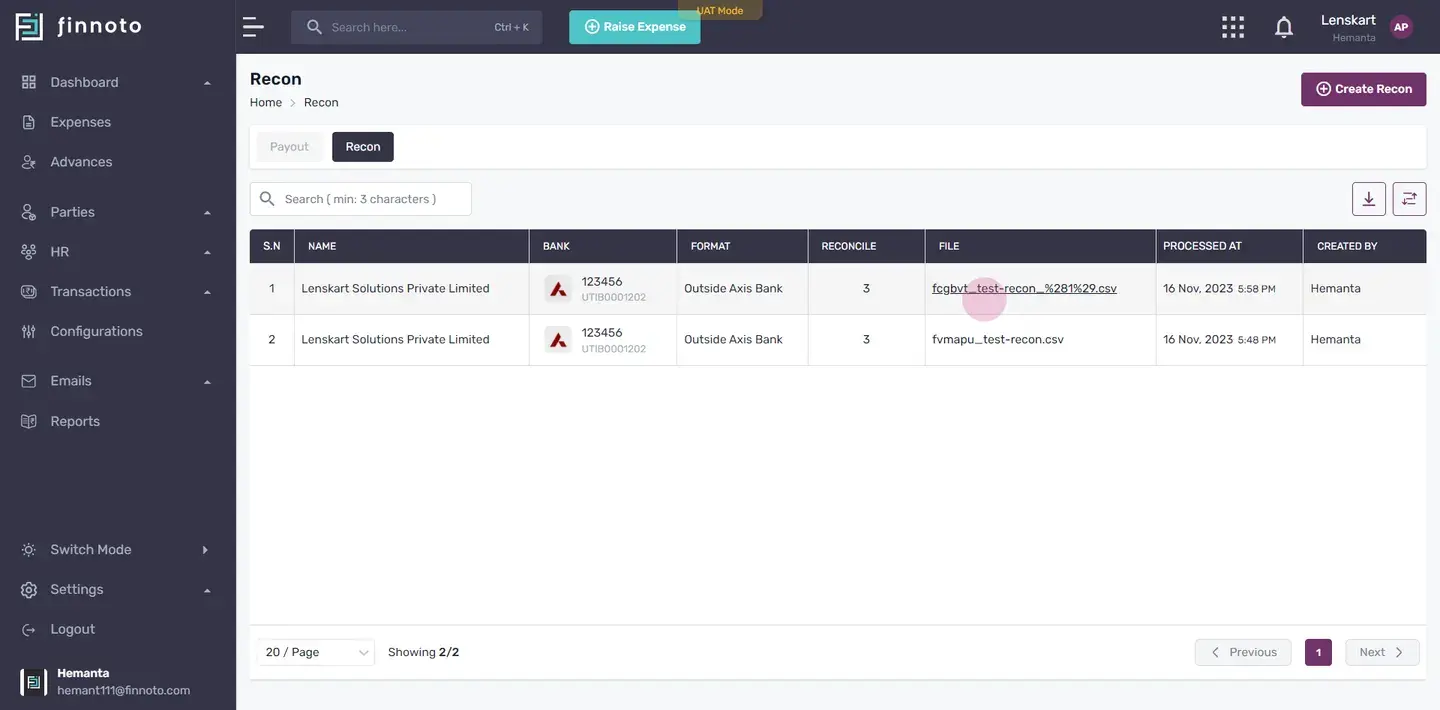
Explore Recon Detail Page.
On the recon detail page, you'll find information such as business name, bank account number with the IFSC code, format, reconciled: matched ones, and recon file in the file column, processed at and created by details in there respective column.
This is how you can efficiently create Recon on Finnoto.
Recon Creation Here you can store data shared from your bank to match with the payouts, ensuring accurate reconciliation. Follow the steps given below to create a recon on Finnoto:
Navigate to Configuration
- Go to the main navigation menu and click on 'Configuration.'
- Select 'Payout/Recon.'
Create Recon
- Under the 'Recon' tab, on the top right corner locate and click on the 'Create Recon' button..
Fill in the Form
- Enter a relevant name in the designated field.
- Choose the bank account related to this reconciliation.
- Wisely select the format, whether 'Within Axis Bank' or 'Outside Axis Bank.'
- Upload the reconciliation file provided by the bank.
- Click 'Save.
Process and View Recon Details
- The system will start processing, and you'll see the recon details.
- Successfully processed details include the format, processed at, name of business, account number, IFSC code, and the recon summary.
Explore Recon Summary
- In the recon summary, you'll find details such as amount mismatch, duplicate match, not match, not processed, and the total.
Investigate Summary Details
- Click on any of the summary details to view specific reports.
- In each report, you'll see row numbers, identifiers, amounts, status, UTR, Type, Credit A/C, Beneficiary A/C and Date .
Check Matched Recon
- Click on a matched recon to see its details, including identifiers, status(If you hover over the icons you will able to see the detail ), amounts, and types.
- Details like UTR numbers, debit account numbers, beneficiary account numbers, and dates are available.
- On the top right corner you can also check stats by hovering over it.
Explore Recon Detail Page
- On the recon detail page, you'll find information such as business name, bank account number with the IFSC code, format, reconciled: matched ones, and recon file in the file column, processed at and created by details in there respective column.
This is how you can efficiently create Recon on Finnoto.