Generate a payout
Create a payout file for your bank from the payments that are due, download it, and cancel one if needed.
Last updated on
Transcript
This article will guide you through the process of generating a payout on Finnoto. Follow the steps below to successfully generate a payout.
Access Configuration Section.
Navigate to the Configuration section on Finnoto.
Select Payout Recon.
Under the Configuration section, locate and select "Payout Recon."
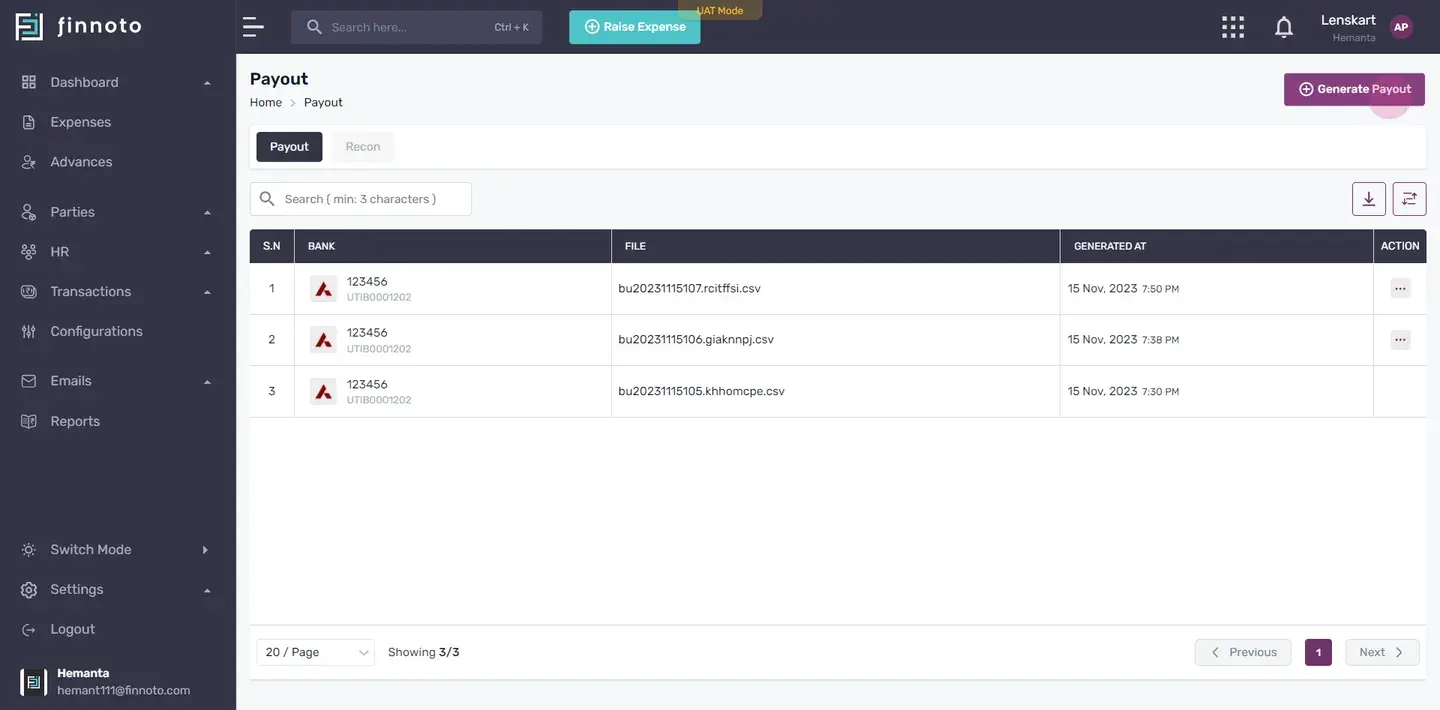
View Generated Payouts.
You will find a list of all previously generated payouts. To create a new payout, click on the "Generate Payout" button.
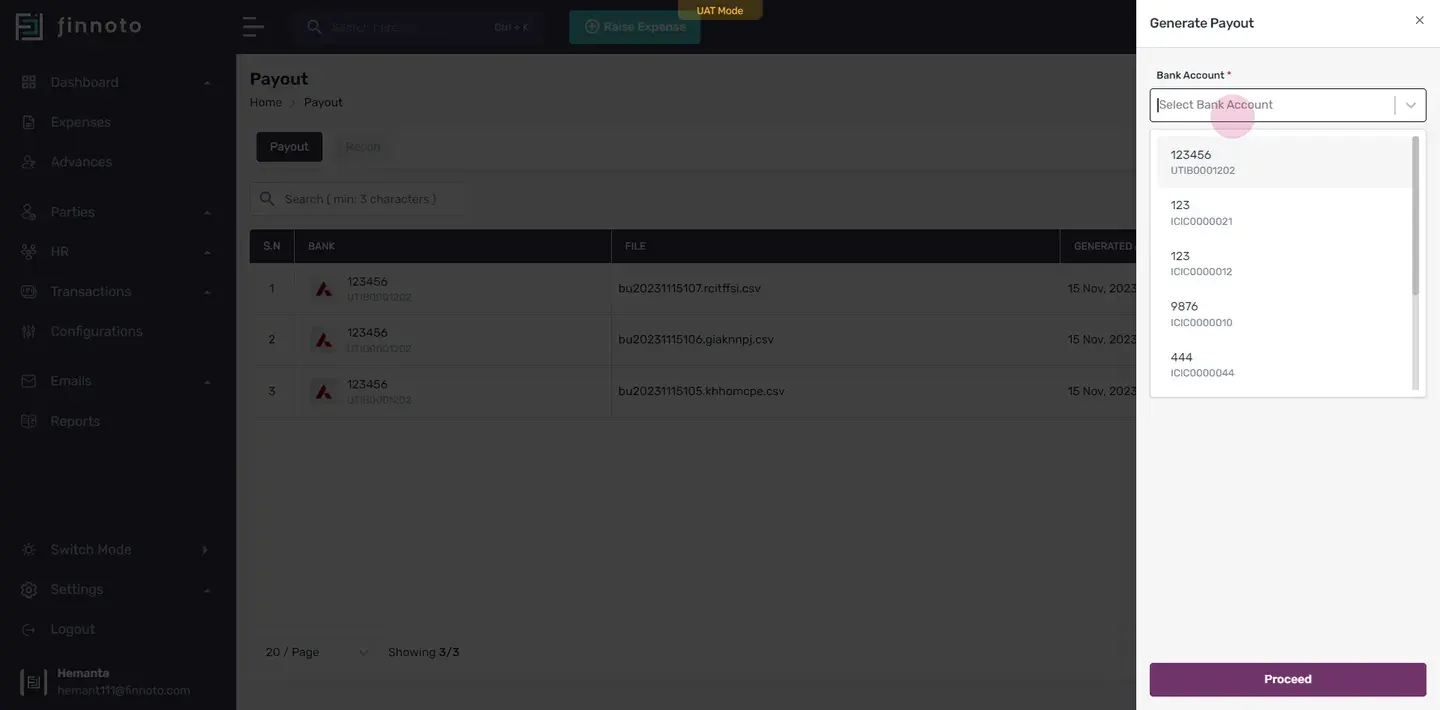
Fill Out Payout Form.
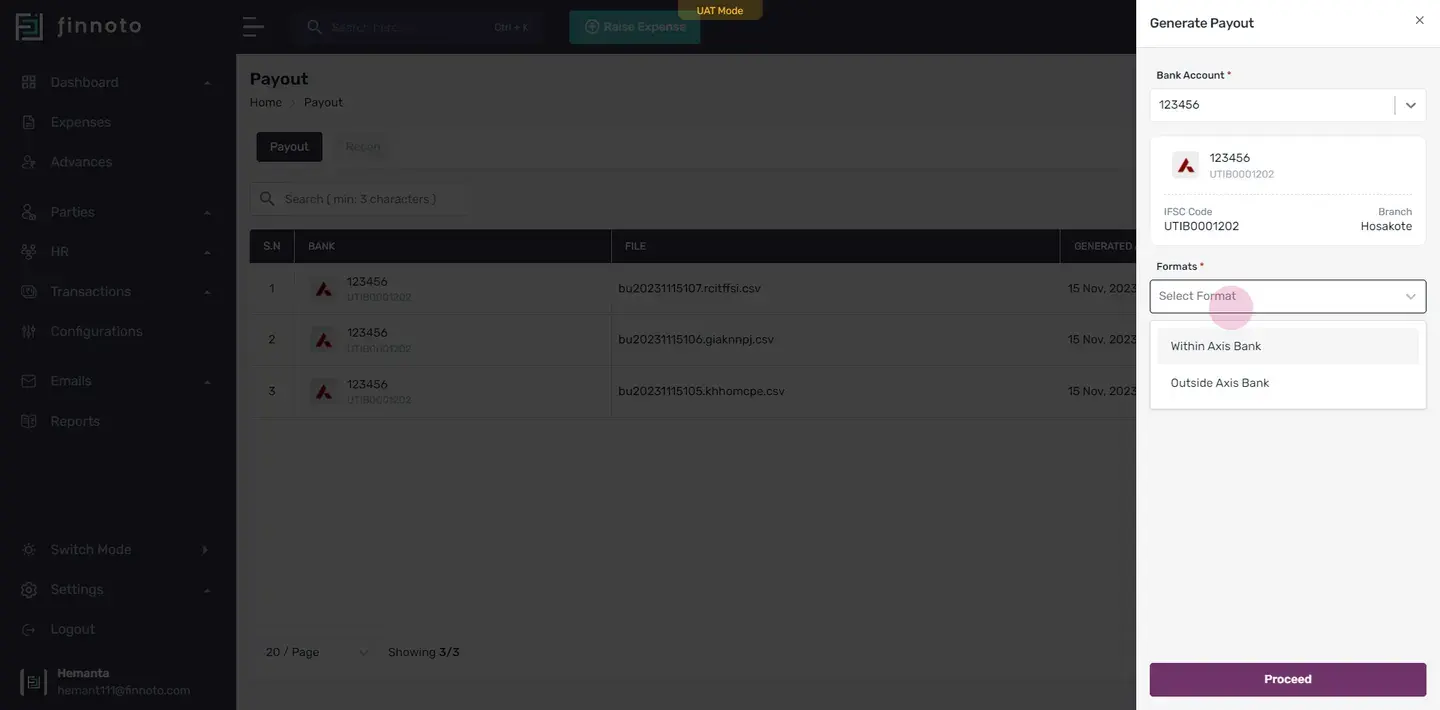
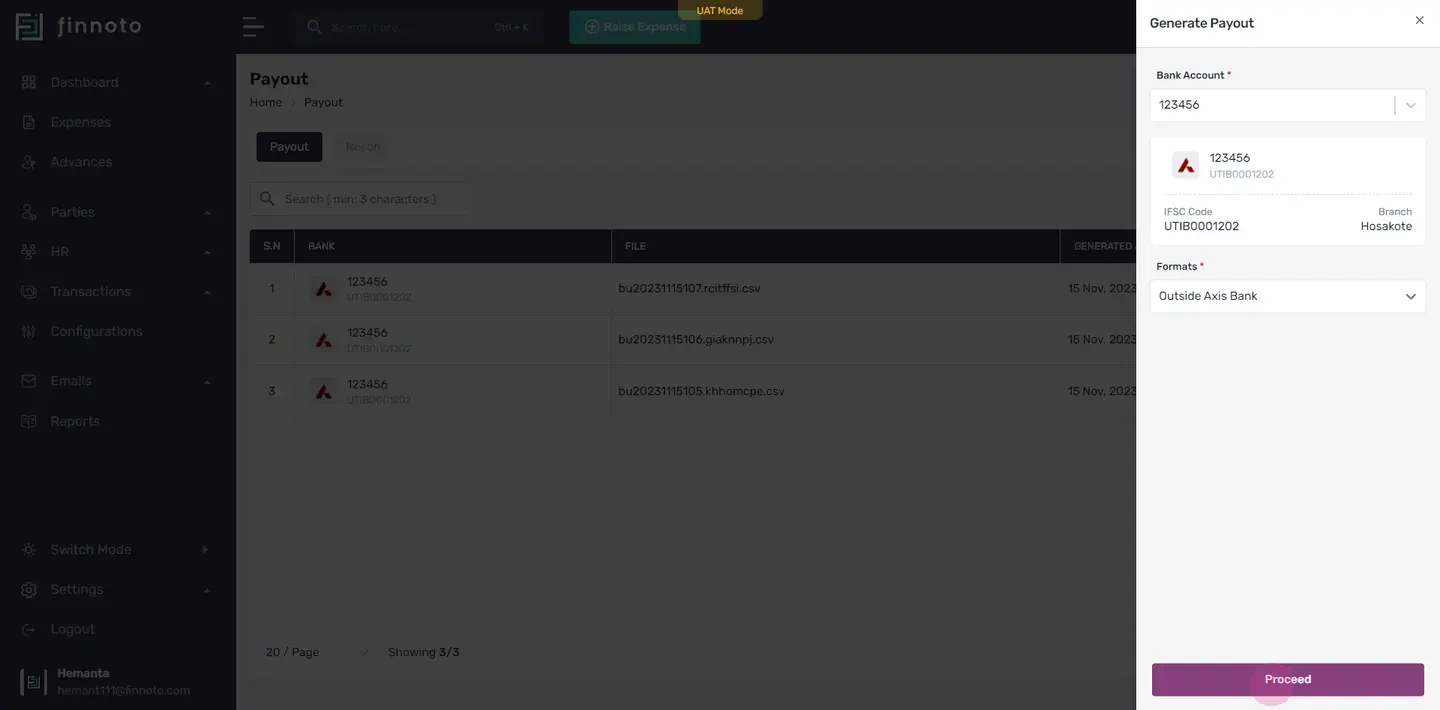
Choose your bank account from the provided options. Select the payout format. Click "Proceed" to move to the next step.
Select Payments.
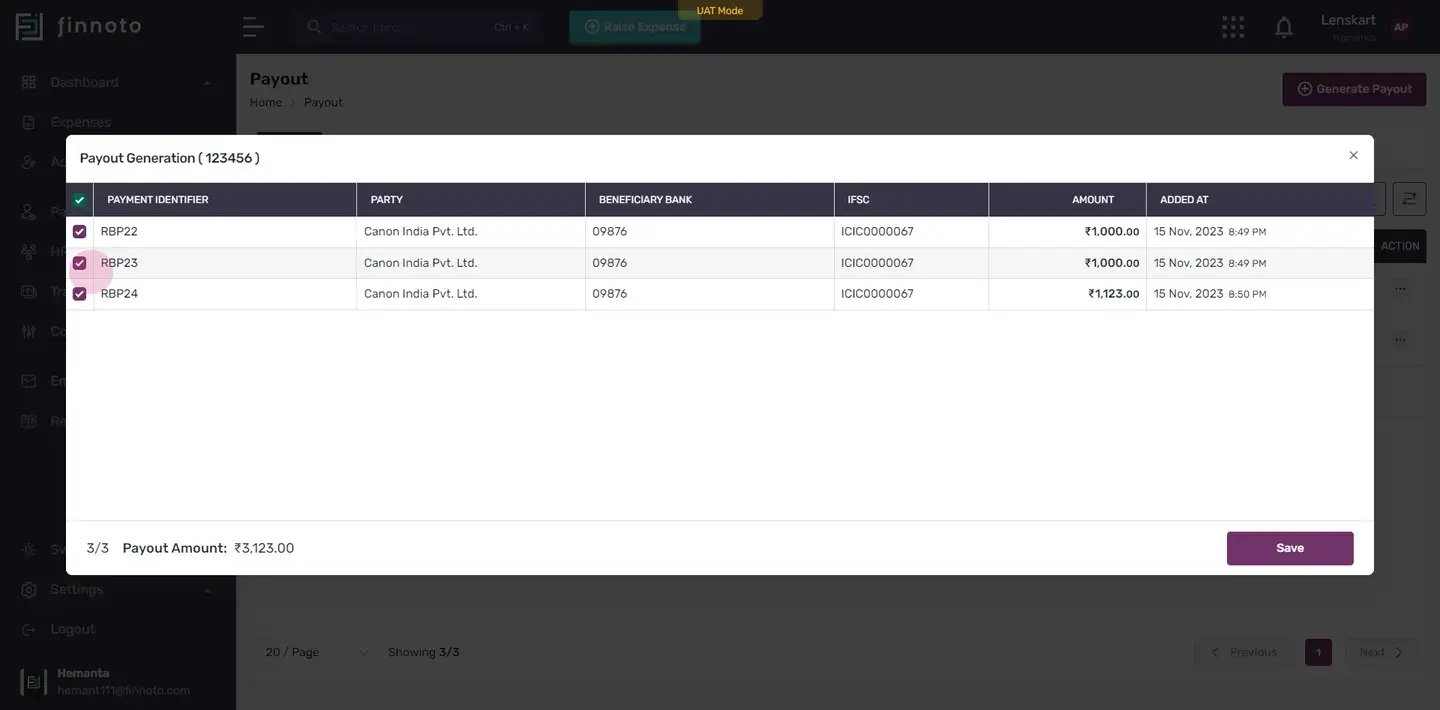
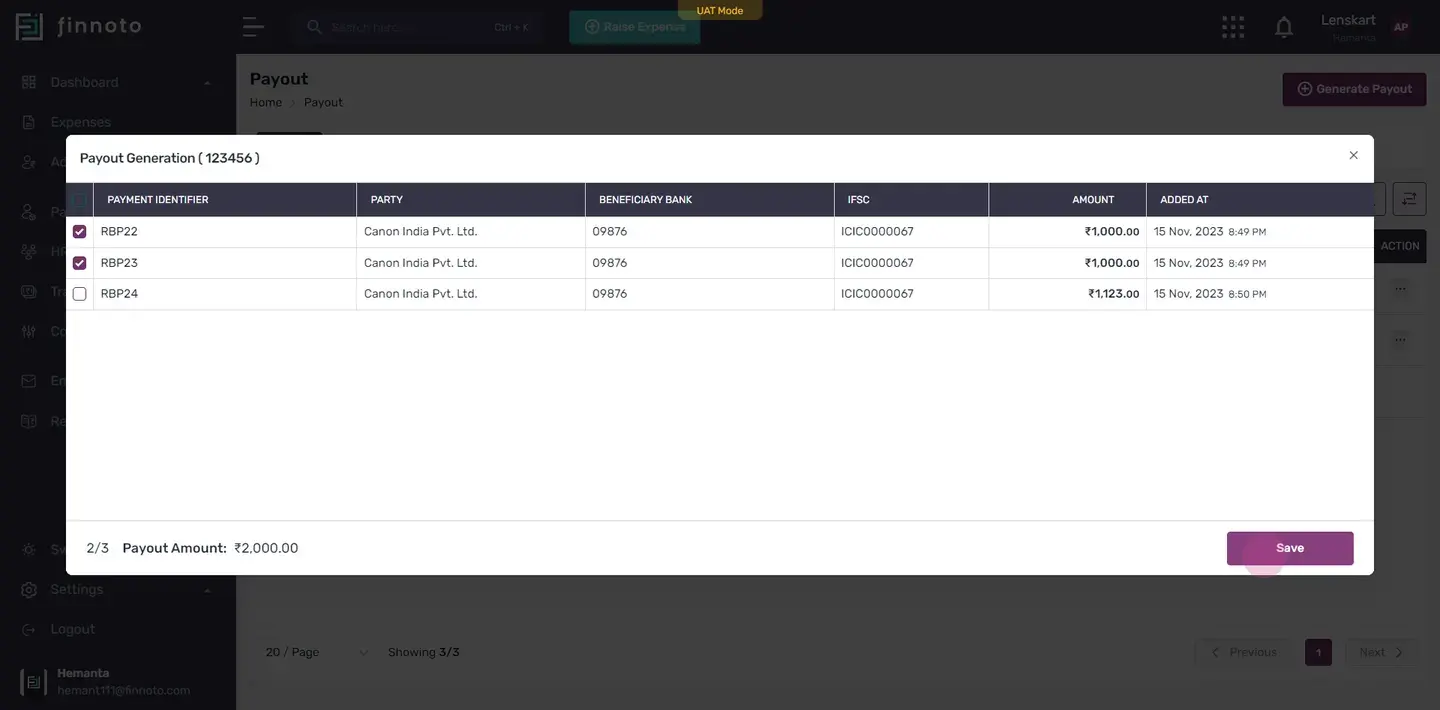
A list of payments for which payouts have not been generated will appear. Choose whether to select all payments or pick specific ones. The total amount will adjust accordingly.
Review Summary.
After selection, a summary displaying the total selected payments will be shown.
Save and Generate Payout.
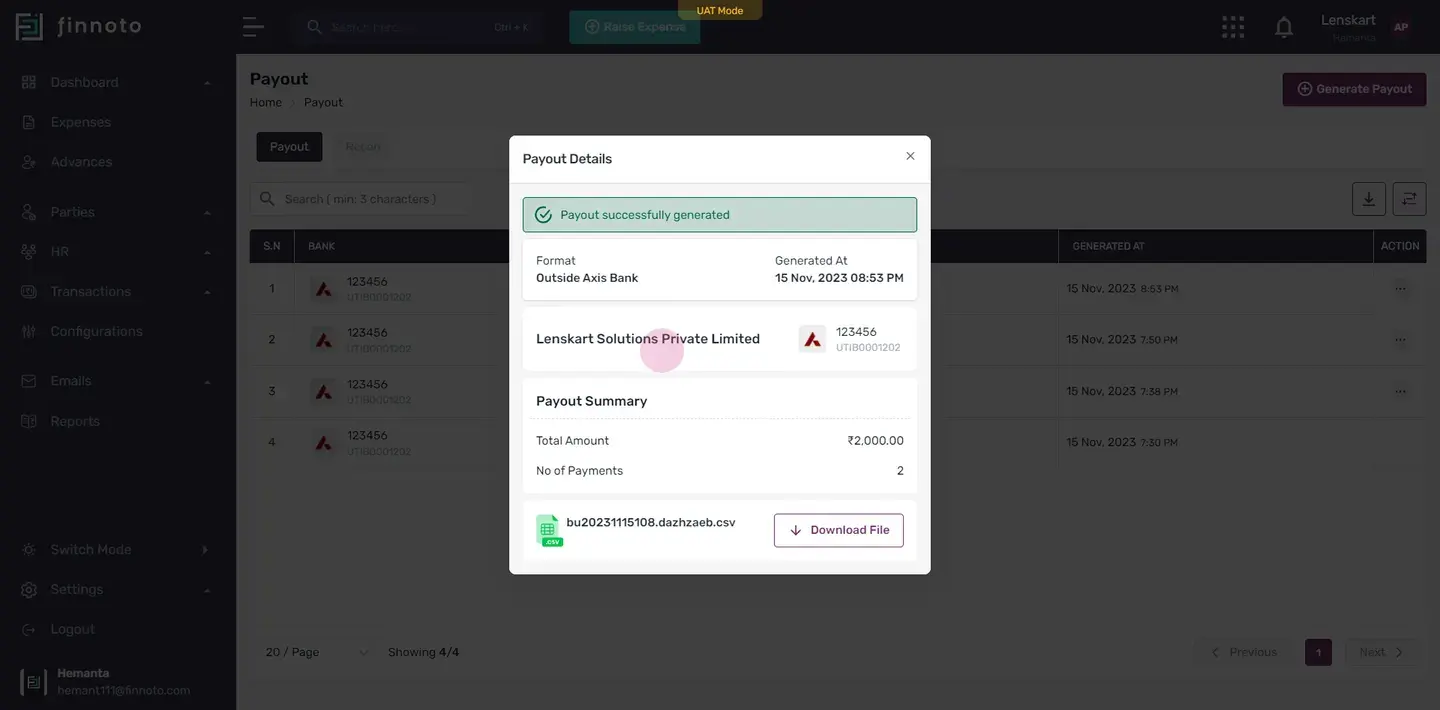
Click "Save." You will then receive details of the successfully generated payout. This will include: Payout format. Generation time span. Bank account details. IFSC code. Account number. Total Amount No of payments
Download Payout File.
Click "Download File" to obtain the payout details in a CSV file. This file contains crucial information about the payout.
Review Generated Payout.
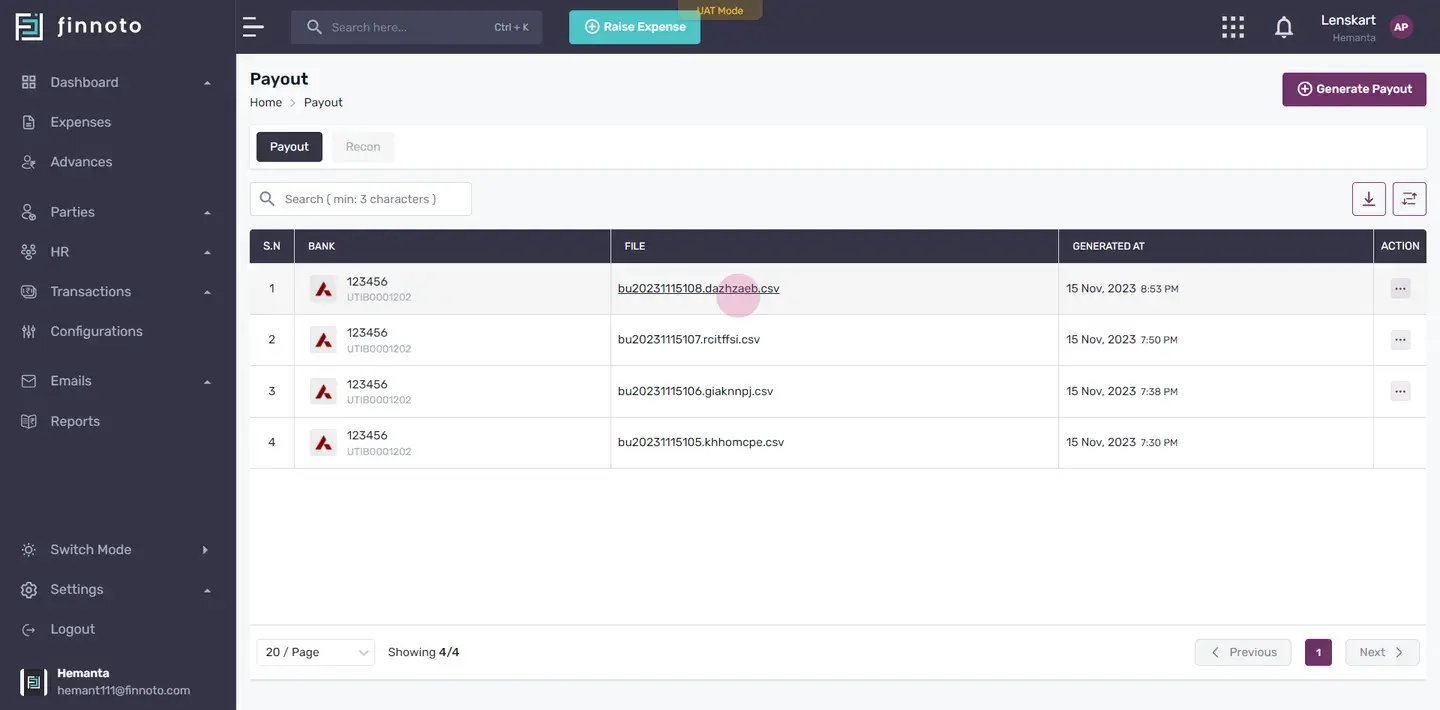
In the "Generated At" column of the CSV file, find the date and time of payout generation.
Optional - Cancel Payout.
If needed, use the "Action" column in the generated payout list to cancel a corresponding payout.
You have successfully generated a payout on Finnoto.
This article will guide you through the process of generating a payout on Finnoto. Follow the steps below to successfully generate a payout.
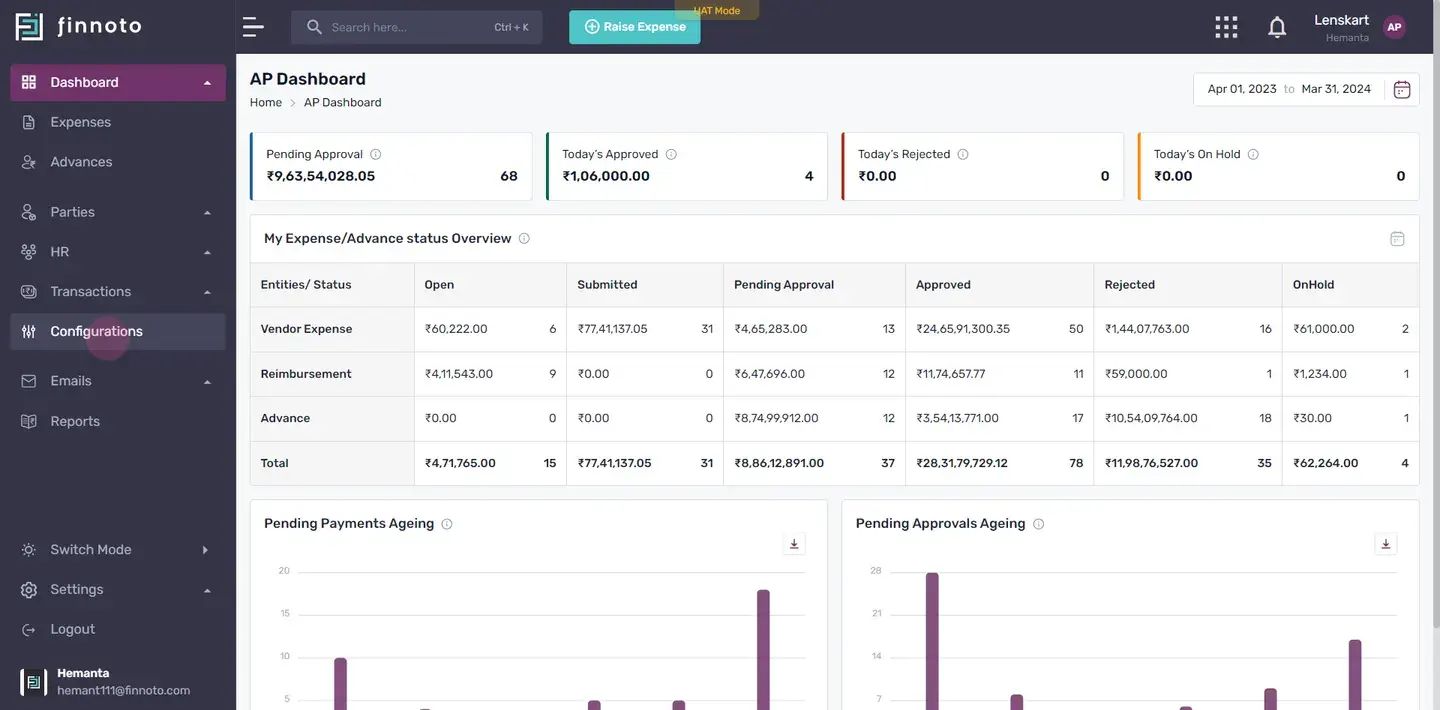
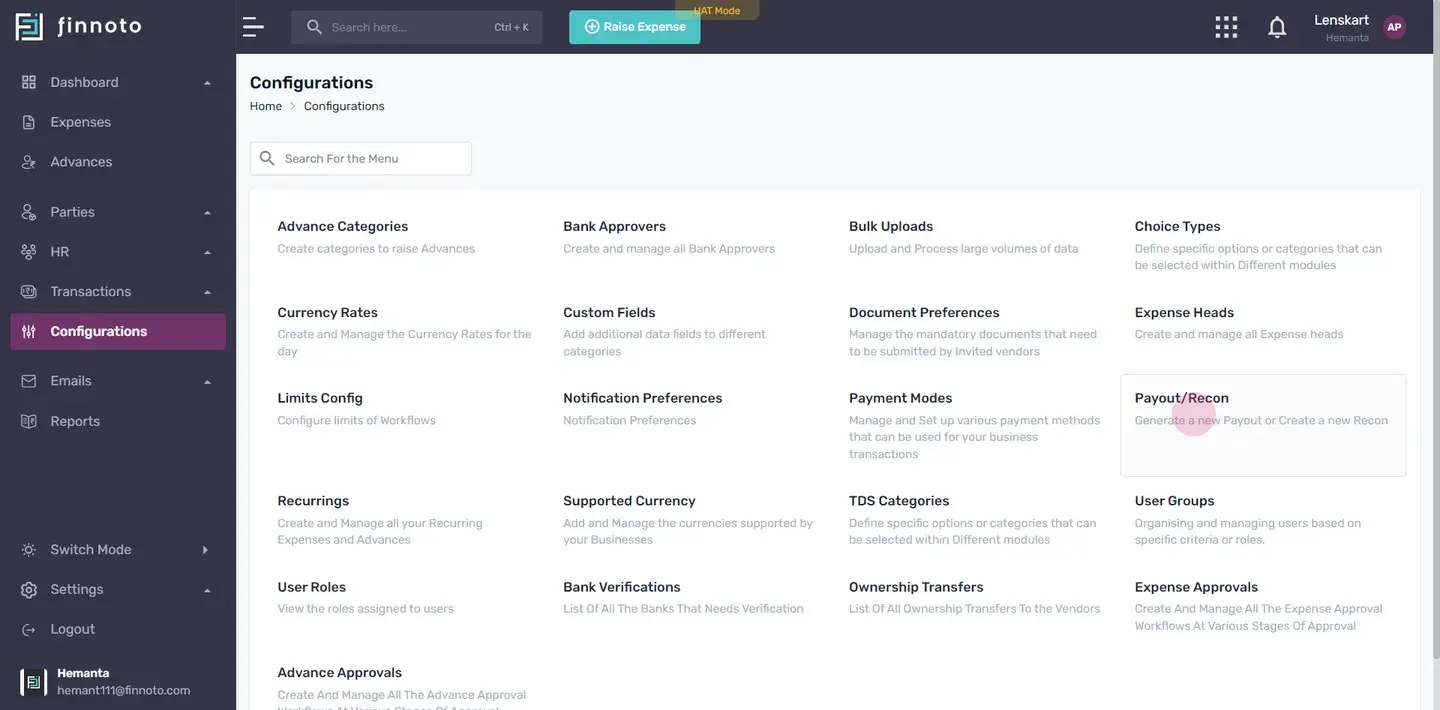
View Generated Payouts
- You will find a list of all previously generated payouts. To create a new payout, click on the "Generate Payout" button.
Fill Out Payout Form
- Choose your bank account from the provided options.
- Select the payout format.
- Click "Proceed" to move to the next step.
Select Payments
- A list of payments for which payouts have not been generated will appear. Choose whether to select all payments or pick specific ones. The total amount will adjust accordingly.
Save and Generate Payout
- Click "Save." You will then receive details of the successfully generated payout. This will include:
- Payout format.
- Generation time span.
- Bank account details.
- IFSC code.
- Account number.
- Total Amount
- No of payments
Download Payout File
- Click "Download File" to obtain the payout details in a CSV file.
- This file contains crucial information about the payout.
Review Generated Payout
- In the "Generated At" column of the CSV file, find the date and time of payout generation.
Optional - Cancel Payout
- If needed, use the "Action" column in the generated payout list to cancel a corresponding payout.
You have successfully generated a payout on Finnoto.