Add a department
Create departments to group employees and route approvals.
Last updated on
Transcript
How to create a Department on the Finnoto portal?
This article provides step-by-step instructions on how to create departments within the system.
Follow the steps below to create departments and manage their details effectively.
Step 1: Accessing the Departments Section
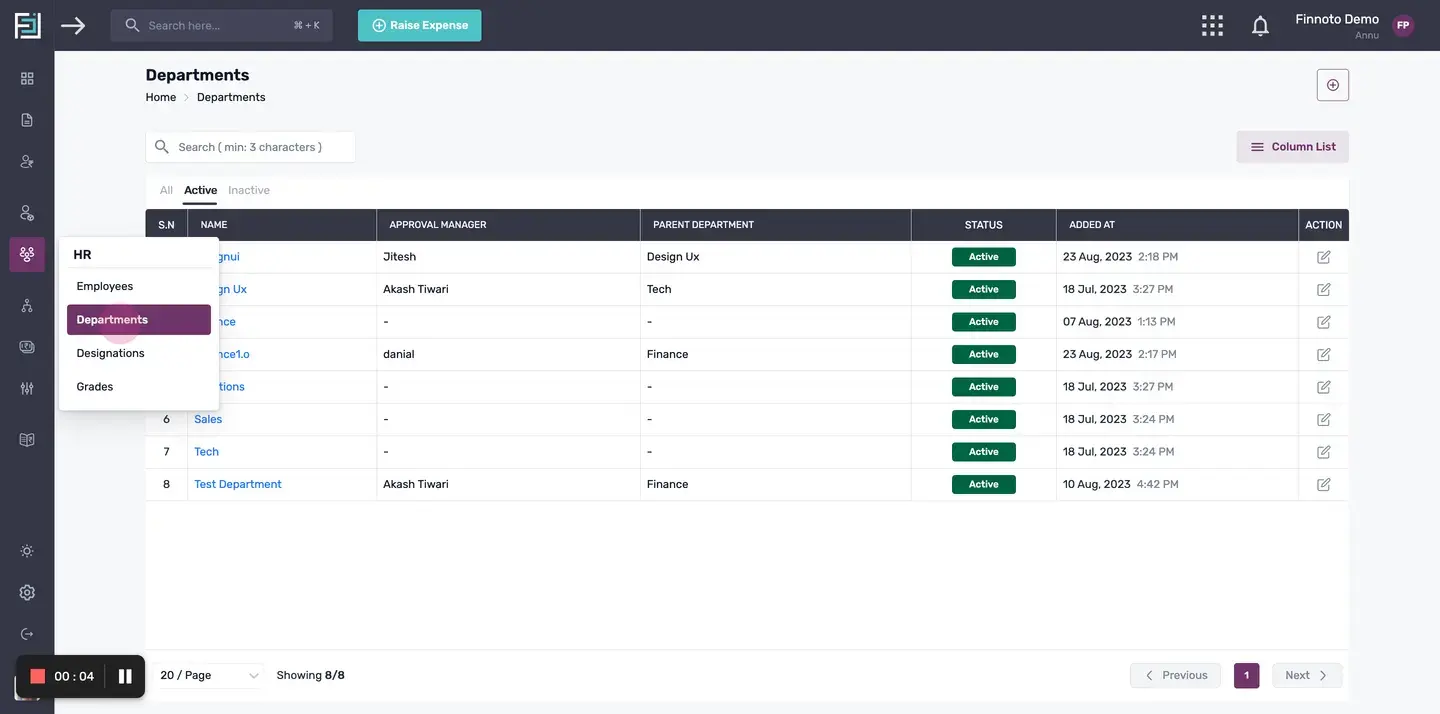
To begin, navigate to the HR section in Finnoto and click on "Departments". OR Alternately,Click on "Create Department" from the Quick Start menu.
Adding a New Department.
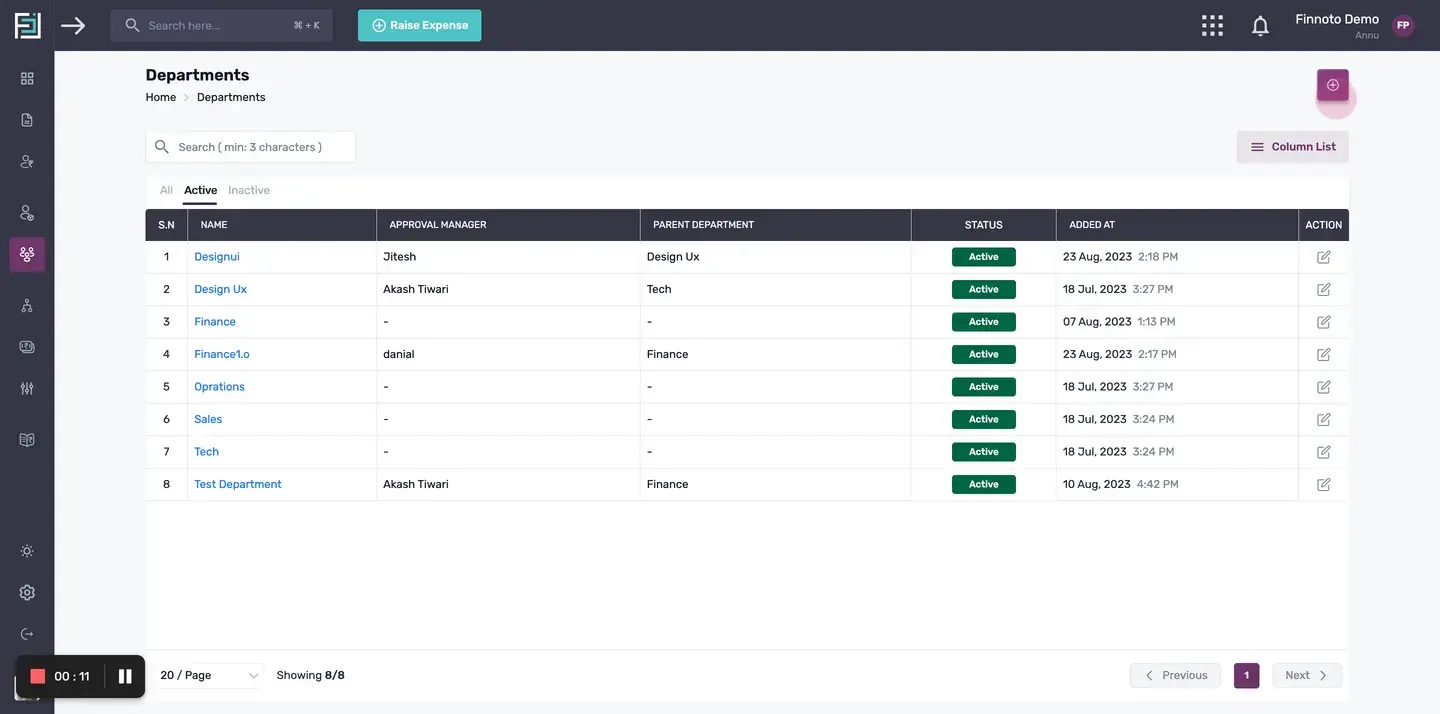
Once you are in the Departments section, locate the plus button at the top right corner of your screen and click on it.
Entering the details in Department Form.
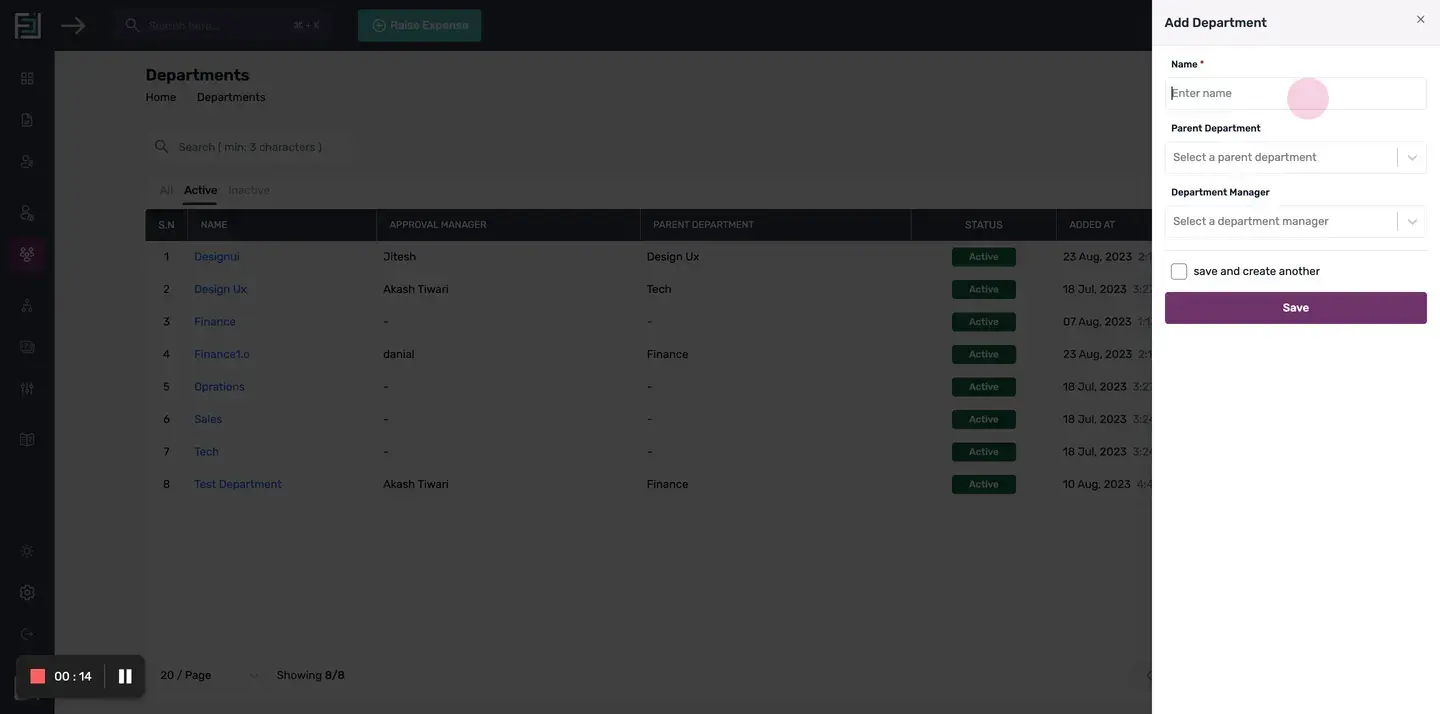
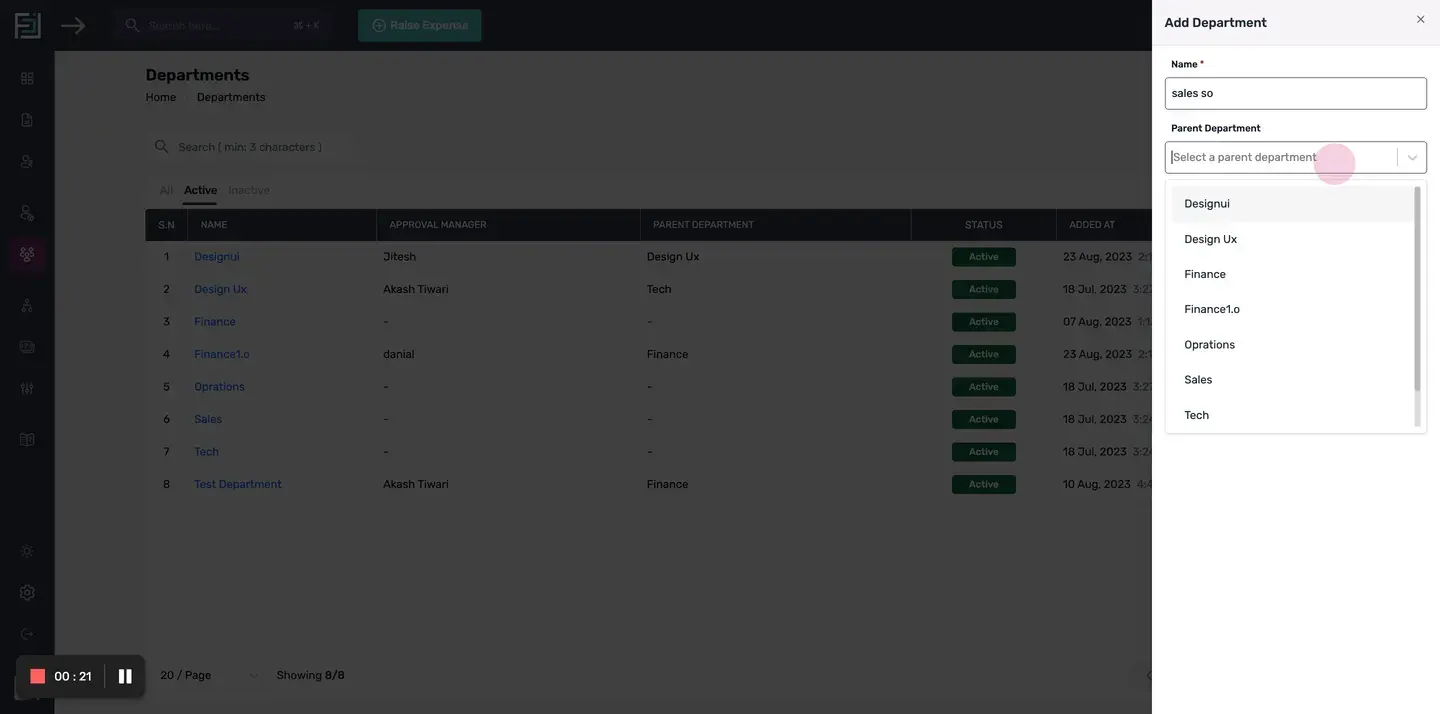
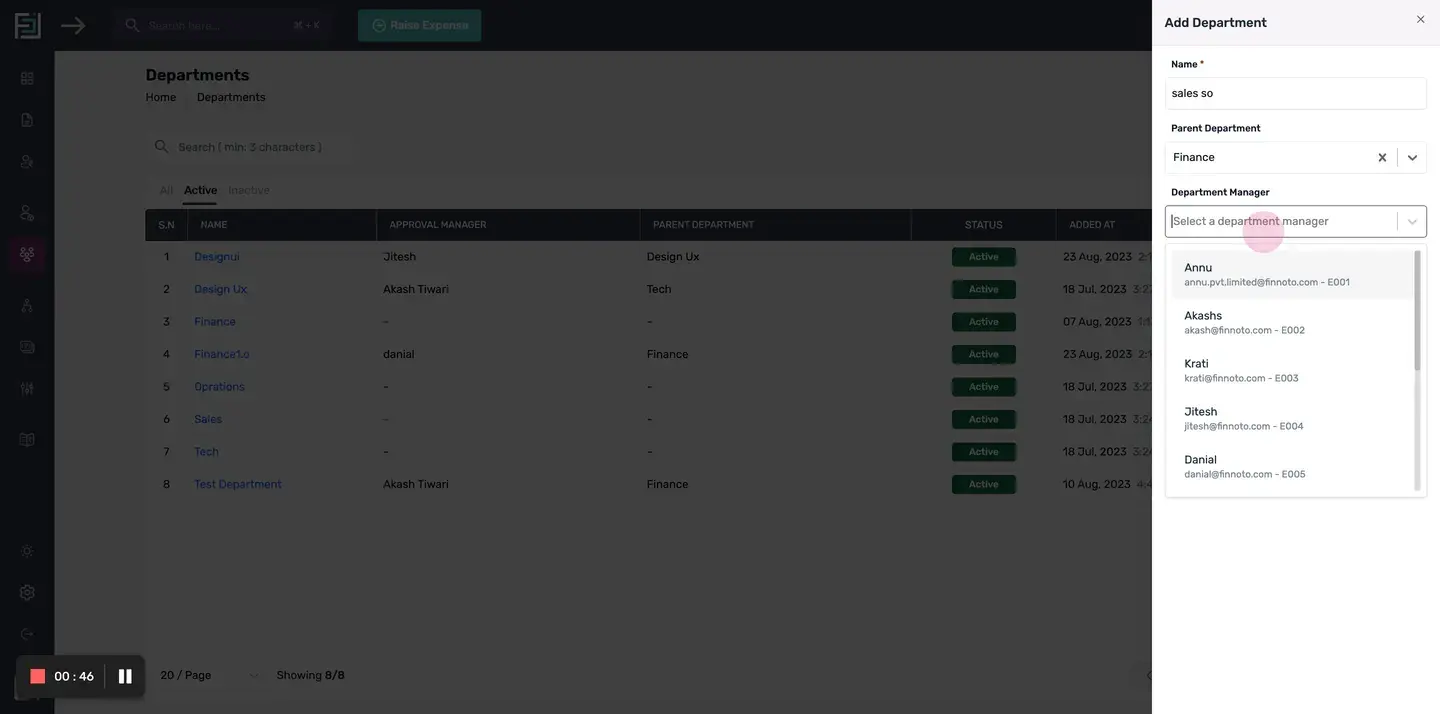
1. Department Name: A form will appear where you can enter the name of the department. 2. Parent Department: For a hierarchical organisation structure, you can assign a parent department to a newly created department. 3. Assigning a Department ManagerNext, you will need to assign a department manager.*Note:* It is important to note that the department manager is different from the reporting manager of the organization. The department manager is used in approval workflows. If you make changes to an employee, remember to update the respective approval workflow as well.
Saving the Changes.
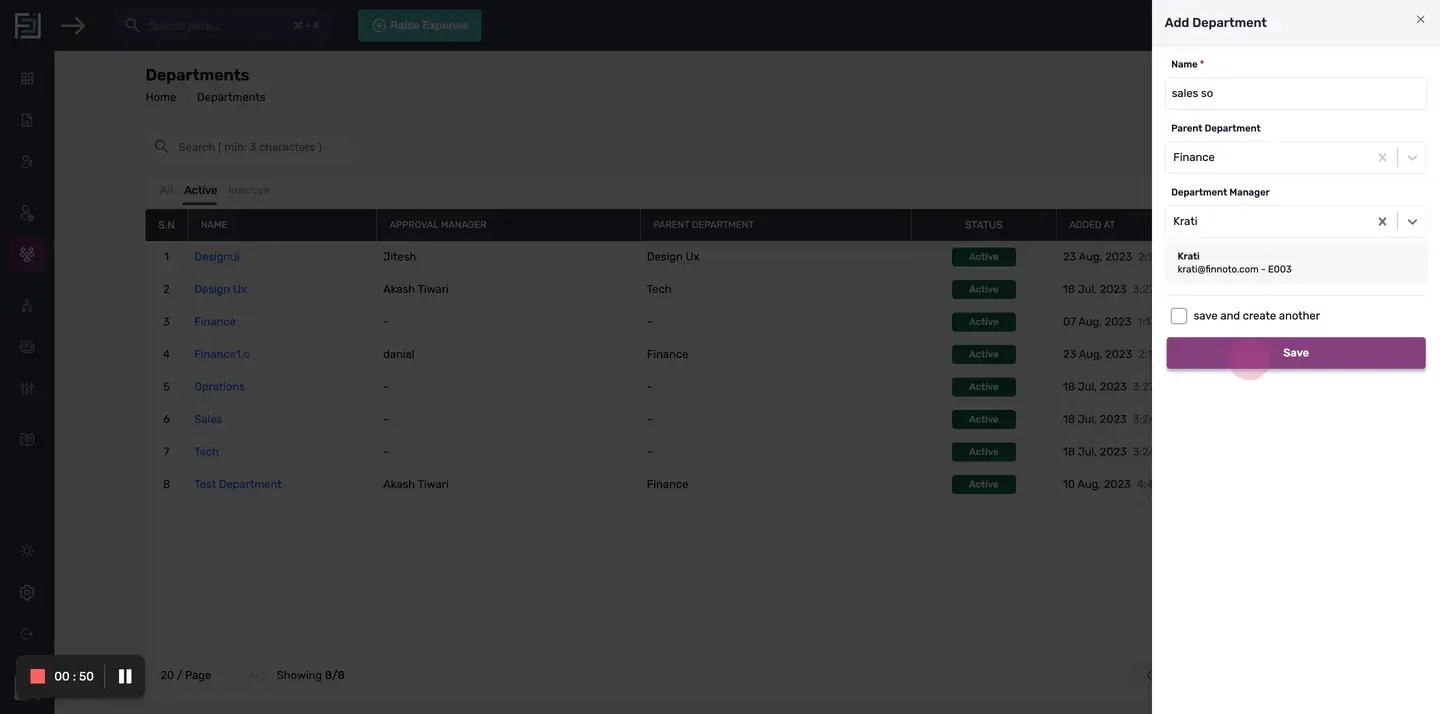
Once you have entered the department manager, click on the "Save" button to save the changes.
Edit Department: Click on the "Edit" button avaialable in Department Listing page, to modify department information, including the Department Name, Parent Department, and Manager.
Congratulations! You have successfully created a new department in Finnoto and assigned a department manager. This will help you organize and manage your HR processes effectively.
How to create a Department on the Finnoto portal?
This article provides step-by-step instructions on how to create departments within the system.
Follow the steps below to create departments and manage their details effectively.
Step 1: Accessing the Departments Section
To begin, navigate to the HR section in Finnoto and click on "Departments". OR Alternately,Click on "Create Department" from the Quick Start menu.
Adding a New Department
Once you are in the Departments section, locate the plus button at the top right corner of your screen and click on it.
Entering the details in Department Form
- Department Name: A form will appear where you can enter the name of the department.
- Parent Department: For a hierarchical organisation structure, you can assign a parent department to a newly created department.
- Assigning a Department ManagerNext, you will need to assign a department manager.Note: It is important to note that the department manager is different from the reporting manager of the organization. The department manager is used in approval workflows. If you make changes to an employee, remember to update the respective approval workflow as well.
Saving the Changes
Once you have entered the department manager, click on the "Save" button to save the changes.
Edit Department: Click on the "Edit" button avaialable in Department Listing page, to modify department information, including the Department Name, Parent Department, and Manager.
Congratulations! You have successfully created a new department in Finnoto and assigned a department manager. This will help you organize and manage your HR processes effectively.