Add a designation
Create designations to assign to employees and use in approval rules.
Last updated on
Transcript
This article provides step-by-step instructions on how to create a new designation within the system. Learn how to access the designation creation form, enter the necessary details, and save the designation successfully.
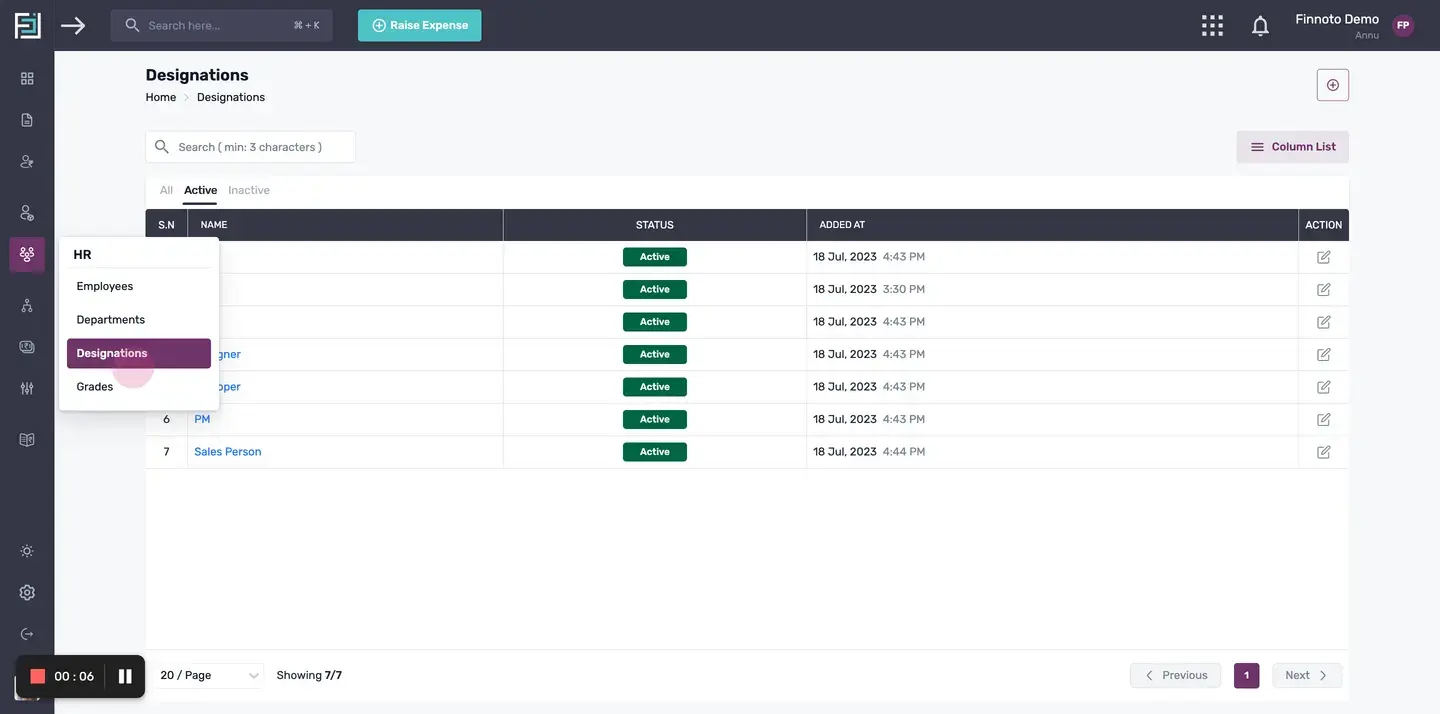
Navigate to HR Menu: To create a designation: Click on "Create Designation" from the Quick Start menu. OR Alternatively, navigate to the HR tab and click on the "Designations" option from the dropdown menu.
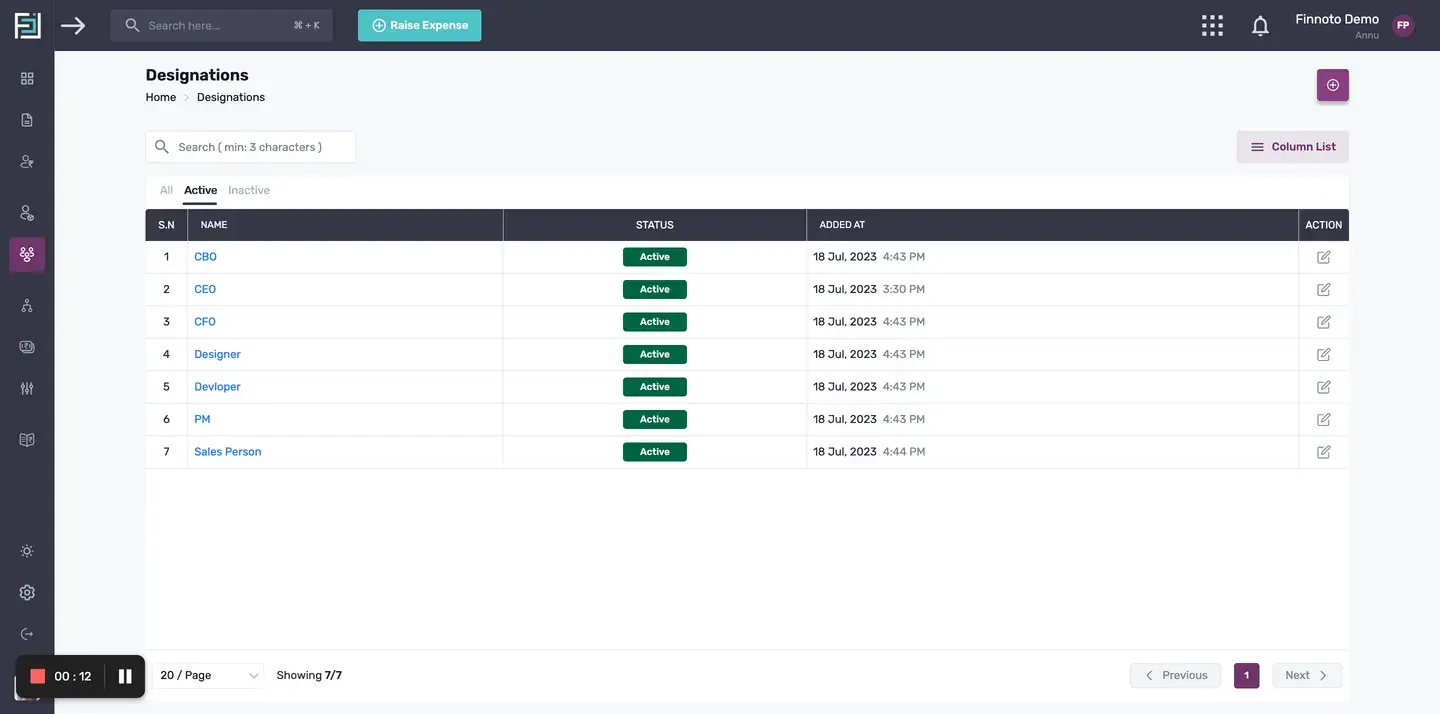
Locate "+Add Designation" button: Click on the "+Add Designation" button to open the designation creation form.
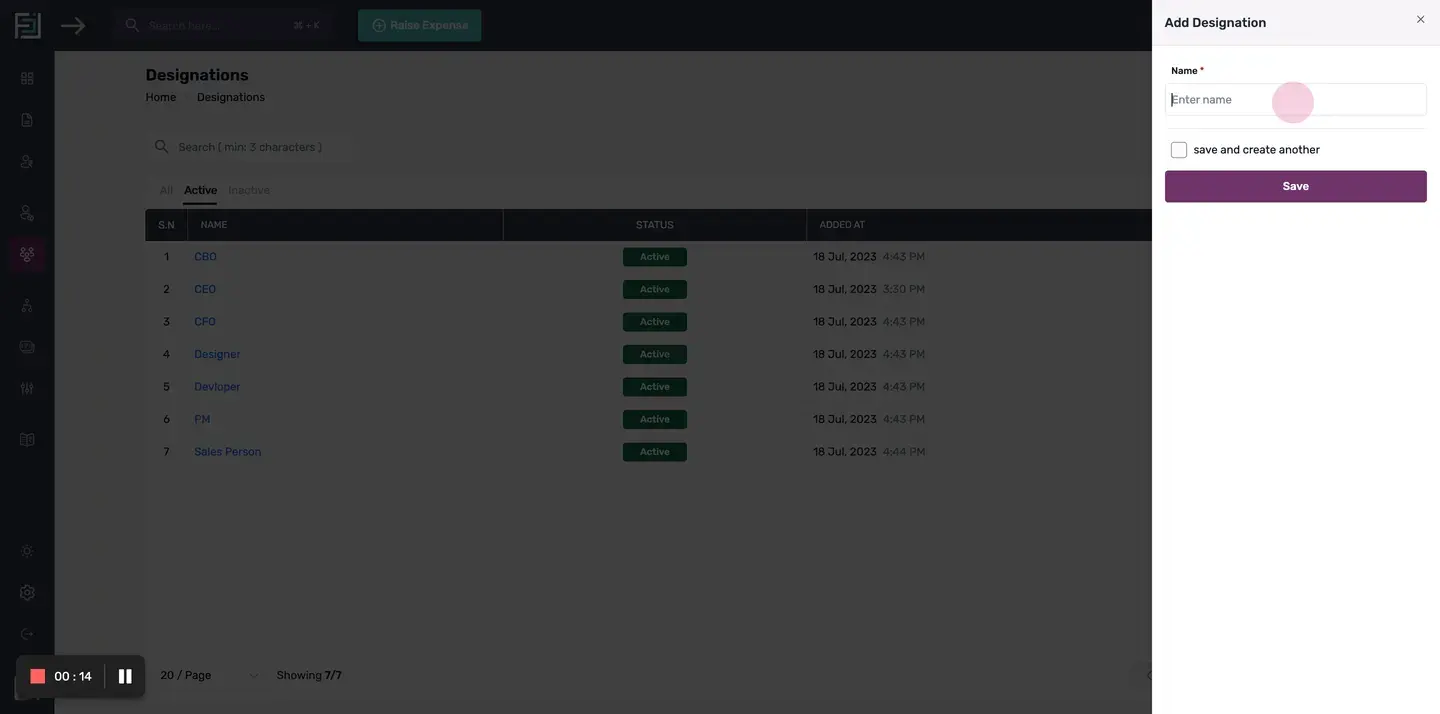
Enter the desired name: Enter a valid name for the designation in the "Name" field.
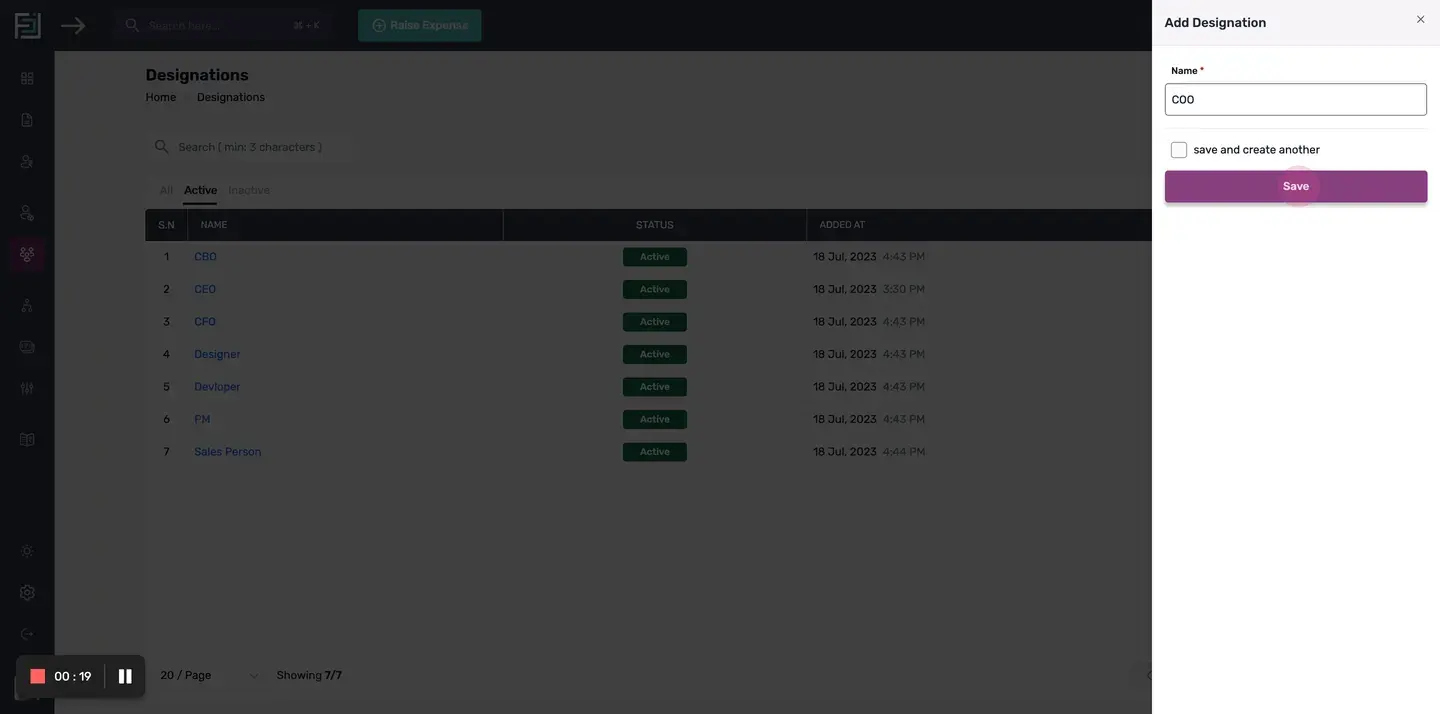
Save Designation: Click on the "Save" button to save the designation.
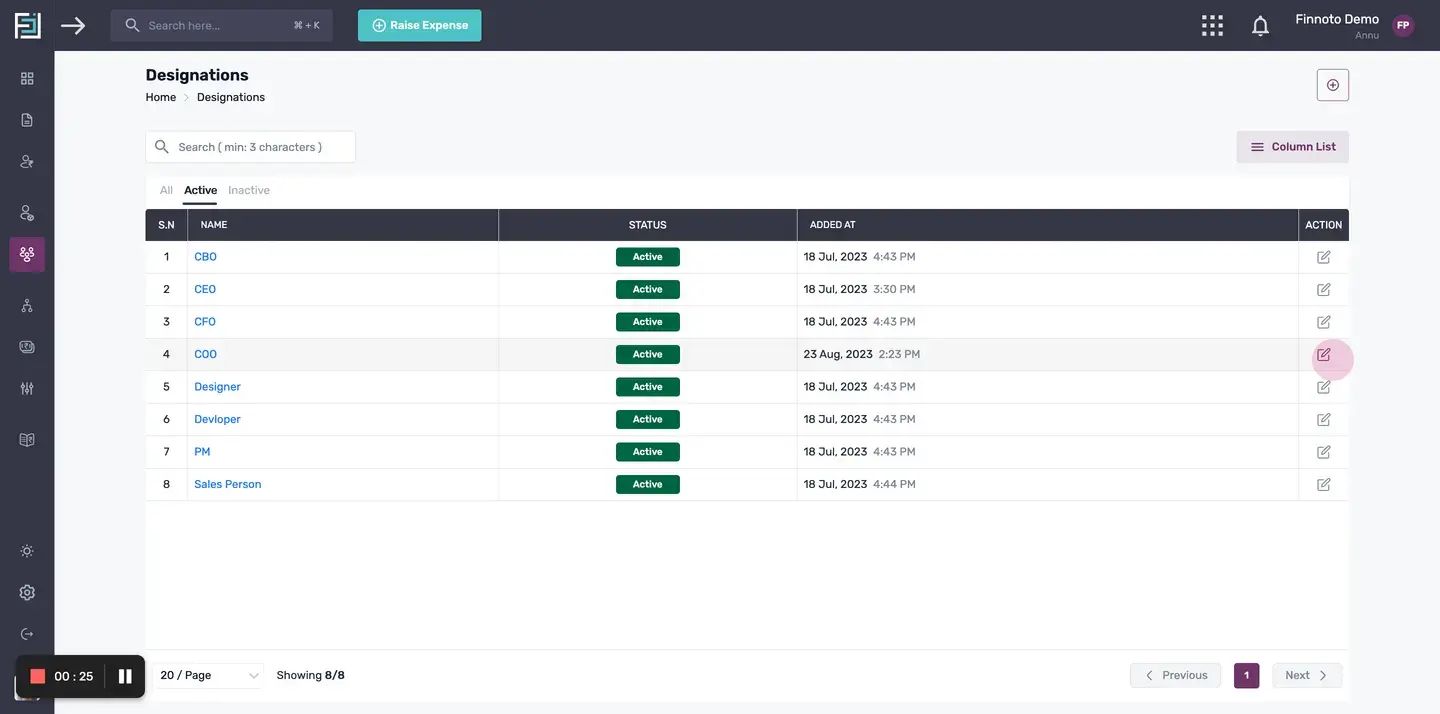
Edit Designation.
If you need to make any edits to the newly created designation, click on the "edit" button.
By following these steps, you can easily create a new designation on the Finnoto portal and make any necessary edits to it.
How to create a Designation on the Finnoto portal?
This article provides step-by-step instructions on how to create a new designation within the system. Learn how to access the designation creation form, enter the necessary details, and save the designation successfully.
Navigate to HR Menu: To create a designation: Click on "Create Designation" from the Quick Start menu. OR Alternatively, navigate to the HR tab and click on the "Designations" option from the dropdown menu.
Locate "+Add Designation" button: Click on the "+Add Designation" button to open the designation creation form.
Enter the desired name: Enter a valid name for the designation in the "Name" field.
Save Designation:
Click on the "Save" button to save the designation
*Note:*To enhance the efficiency of designation creation, you have the option to enable the "Save and Create Another" checkbox in the Add Designation Form.This allows you to save the current designation and immediately begin creating another one without returning to the previous form.
Edit Designation
If you need to make any edits to the newly created designation, click on the "edit" button.
By following these steps, you can easily create a new designation on the Finnoto portal and make any necessary edits to it.